
Sometimes You need to use the older version of Swift for preparing the interview.
For example, The Codility doesn’t support Swift 5.
The swiftenv enable to manage the version of Swift.
Install swiftenv using Homebrew
step 1. Install swiftenv
brew install kylef/formulae/swiftenv
step 2. Set up zsh environment
echo 'if which swiftenv > /dev/null; then eval "$(swiftenv init -)"; fi' >> ~/.zshrc
step 3. restart terminal
Check available of swift versions
swiftenv install --list
Install Swift 4.0
swiftenv install 4.0
Run Xcode and Change the Swift Version
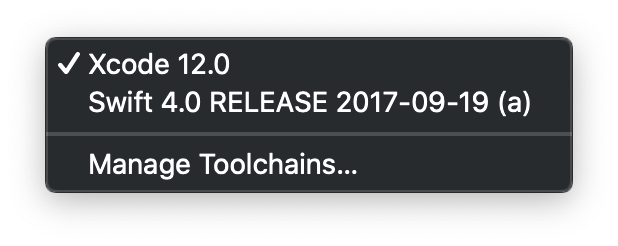
Xcode -> Tool Chains -> Select Swift 4.0 RELEASE 2017-09-19 (a)
Conclusion
You can efficiently manage the swift versions with the swiftenv tool. Thank you for visit my blog.
 Shawn
Shawn 