Have you faced the missing dSYM issue? You can fix it by uploading dSYM to firebase.
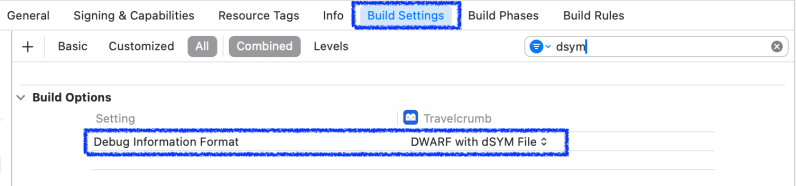
Build Setting – Build Options
Check DWARD with dSYM File
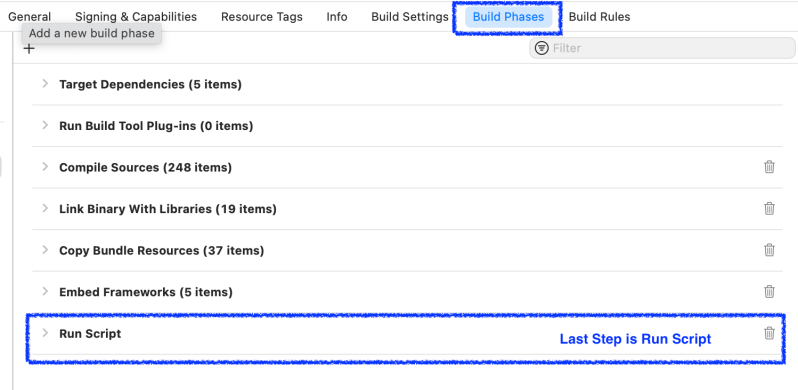
Reorder Build Phase in Xcode
Edit Run Script
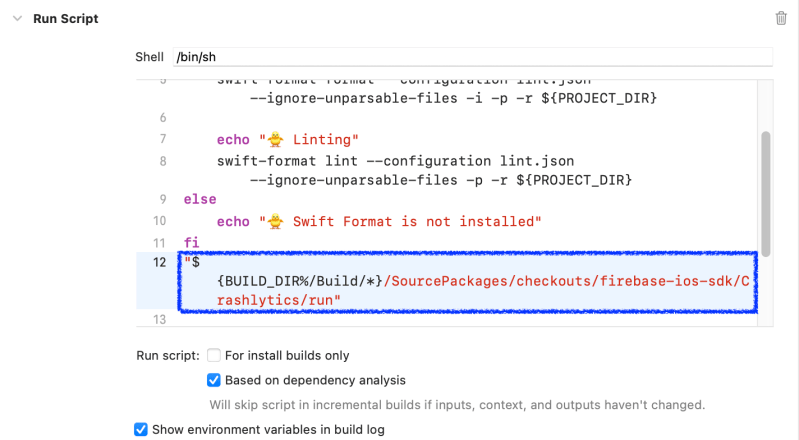
"${BUILD_DIR%/Build/*}/SourcePackages/checkouts/firebase-ios-sdk/Crashlytics/run"
Add above command into Run Script
Add Input Files
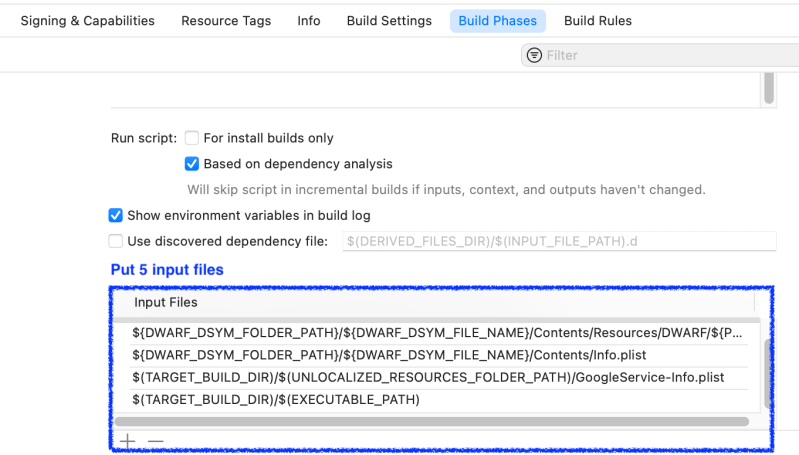
${DWARF_DSYM_FOLDER_PATH}/${DWARF_DSYM_FILE_NAME}
${DWARF_DSYM_FOLDER_PATH}/${DWARF_DSYM_FILE_NAME}/Contents/Resources/DWARF/${PRODUCT_NAME}
${DWARF_DSYM_FOLDER_PATH}/${DWARF_DSYM_FILE_NAME}/Contents/Info.plist
$(TARGET_BUILD_DIR)/$(UNLOCALIZED_RESOURCES_FOLDER_PATH)/GoogleService-Info.plist
$(TARGET_BUILD_DIR)/$(EXECUTABLE_PATH)
Tap + button at Input Files and Add above paths one by one
Check dSYM

You can see uploading dsym process in All Messages
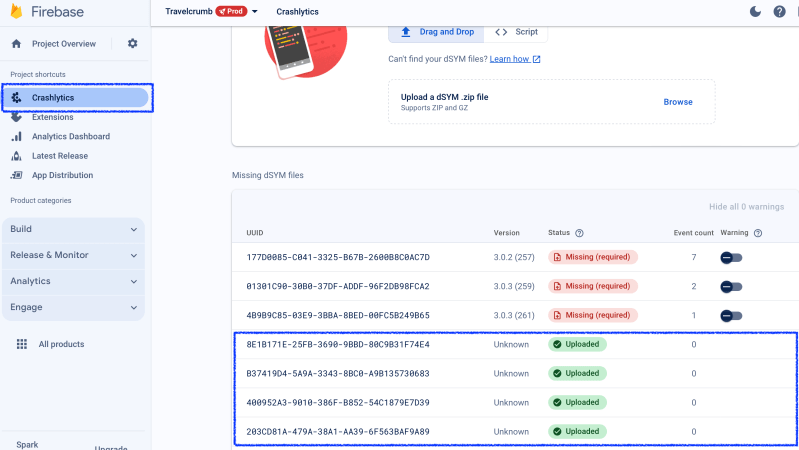
Let’s check firebase Crashlytics.
Crashlytics -> dSYMs
You can see Uploaded
- There is a minor issue which is Uploaded dSYM’s version is indicating Unknown
Conclusion

Now I able to see all the crash issue after uploading dSYM (see above screenshot).
 Shawn
Shawn 
Leave a comment