In this post, I’ll share how to build socket application.
Project Structure
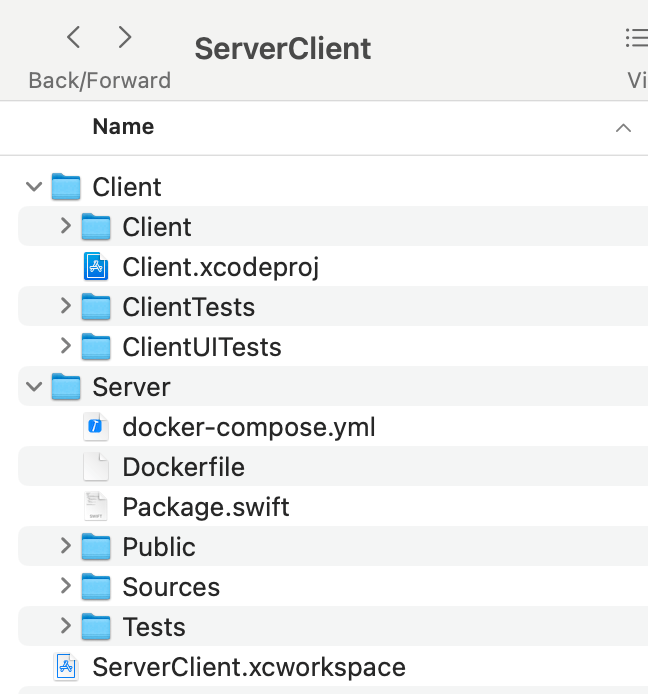
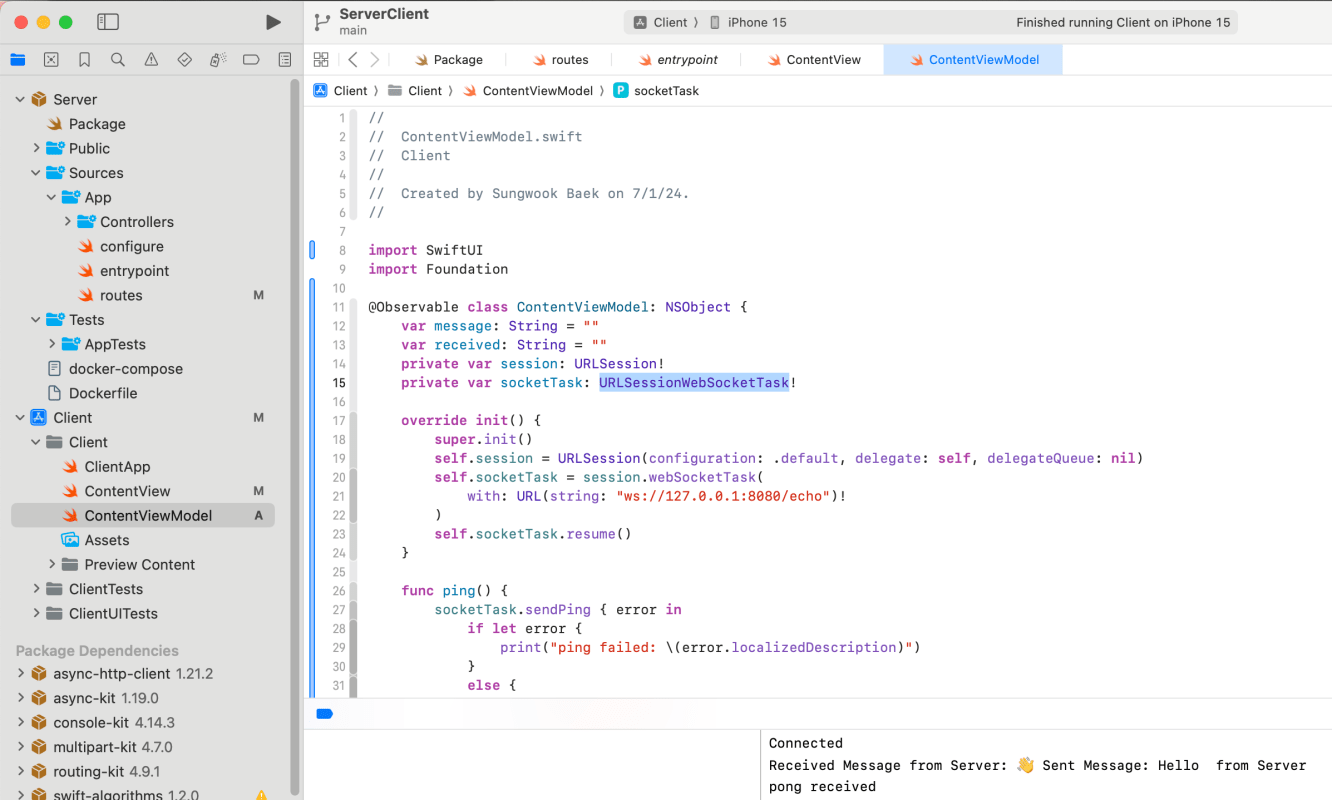
I created a workspace and put the Client (SwiftUI) and Server (Vapor)
Server (Vapor)
Server code is very simple. It is only 32 lines of code.
import Vapor

func routes(_ app: Application) throws {
    //Endpoint - ws://127.0.0.1:8080/echo
    app.webSocket("echo") { req, ws in
        // Connected WebSocket.

        //Send Ping to Client
        ws.sendPing()
        ws.onPong { ws, data in
            // Pong was received from client
            print("Connection alive, Received Pong")
        }

        ws.onText { ws, text in
            // String received by this WebSocket.
            ws.send("👋 Sent Message: \(text) from Server")
        }

        ws.onBinary { ws, binary in
            // [UInt8] received by this WebSocket.
            print(binary)
            ws.send("Received Data: \(binary.readableBytes)")
        }

        ws.onPing { ws, data in
            // Ping was received.
            print("Received Ping")
        }
    }
}
Client (SwiftUI)
I used URLSessionWebSocketTask.
Here is viewModel logic. This class is @Observale and inherent from NSObject to handle URLSessionWebSocketDelegate.
import SwiftUI
import Foundation

@Observable class ContentViewModel: NSObject {
    var message: String = ""
    var received: String = ""
    private var session: URLSession!
    private var socketTask: URLSessionWebSocketTask!

    override init() {
        super.init()
        self.session = URLSession(configuration: .default, delegate: self, delegateQueue: nil)
        self.socketTask = session.webSocketTask(
            with: URL(string: "ws://127.0.0.1:8080/echo")!
        )
        self.socketTask.resume()
    }

    func ping() {
        socketTask.sendPing { error in
            if let error {
                print("ping failed: \(error.localizedDescription)")
            }
            else {
                print("pong received")
            }
        }
    }

    func send() async {
        try? await socketTask.send(.string(message))
    }

    func receive() async {
        while let message = try? await socketTask.receive() {
            switch message {
            case let .string(receivedMessage):
                print("Received Message from Server: \(receivedMessage)")
                received = receivedMessage
            default:
                break
            }
        }
    }

    func disconnect() {
        socketTask.cancel(with: .goingAway, reason: nil)
    }
}

extension ContentViewModel: URLSessionWebSocketDelegate {
    func urlSession(_ session: URLSession, webSocketTask: URLSessionWebSocketTask, didOpenWithProtocol protocol: String?) {
        print("Connected")
        Task {
            await receive()
        }
    }

    func urlSession(_ session: URLSession, webSocketTask: URLSessionWebSocketTask, didCloseWith closeCode: URLSessionWebSocketTask.CloseCode, reason: Data?) {
        print("Disconnected: \(closeCode)")
    }
}
SwiftUI Code
import SwiftUI

struct ContentView: View {
    @State private var viewModel = ContentViewModel()
    var body: some View {
        VStack {
            Text(viewModel.received)
            Divider()
            HStack {
                TextField(text: $viewModel.message) {
                    Text("Message")
                }
                Button("Send") {
                    Task {
                        await viewModel.send()
                    }
                }.padding(4)
                    .background(.blue)
                    .foregroundColor(.white)
            }
            Divider()
            Button("Ping") {
                viewModel.ping()
            }.frame(
                maxWidth: .infinity,
                maxHeight: 30
            ).background(.teal)
                .foregroundColor(.white)
        }
        .padding()
    }
}

#Preview {
    ContentView()
}
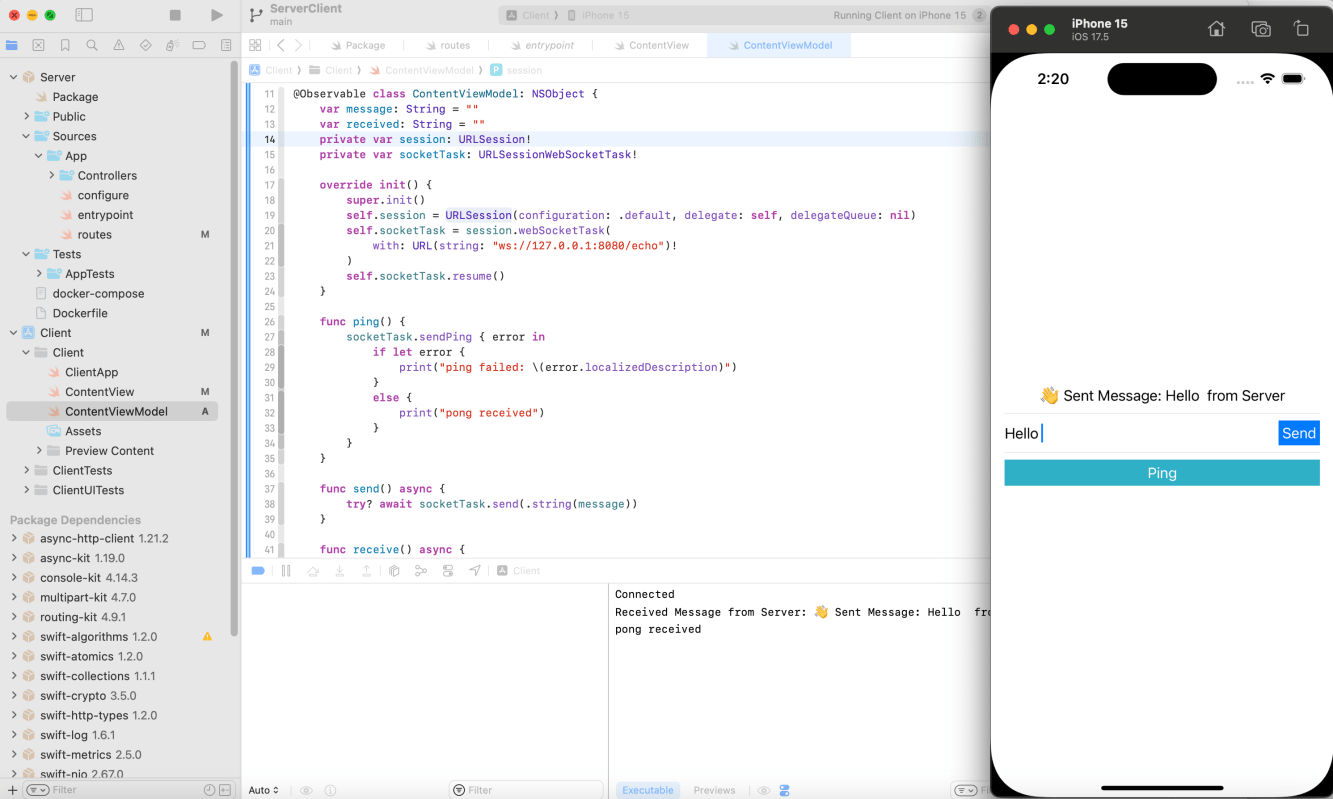
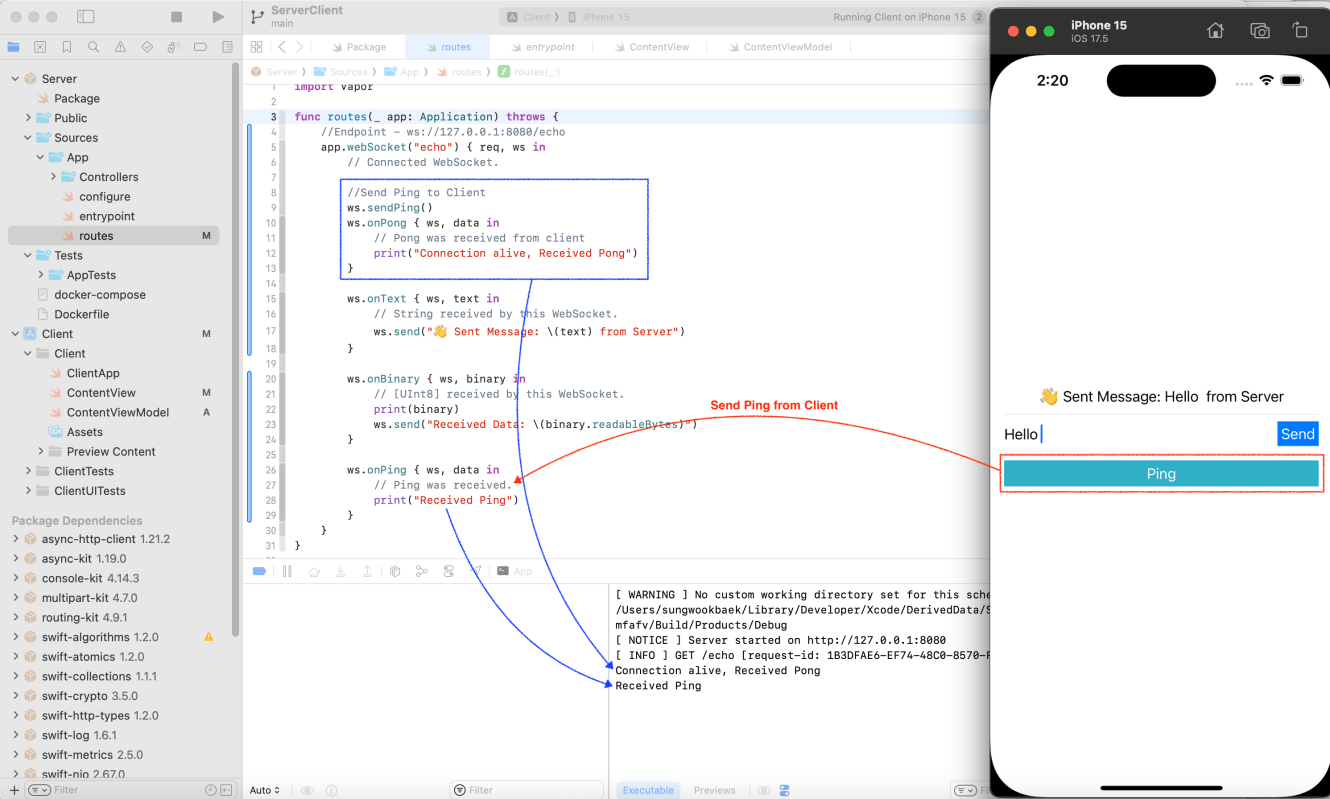
Let’s run a simple socket application
Both client and server can send a ping. When received the ping message then receiver send a pong message automatically. It’s a way to check status of connections.
If you want to more details about WebSocket, check my post
 Shawn
Shawn 
Leave a comment