Blog

  • 다시 시작, 영어공부 문법부터 다시 총 정리

    다시 시작, 영어공부 문법부터 다시 총 정리

    최근에 영어면접을 보고 아직도 면접관의 말을 잘 못알아 듣는다는 것을 느꼈다. 싱가포르에서 일 한지 3년이 다 되어가는데… 영어공부를 따로 안하니 다 소용없다. 각잡고 다시 영어 공부 시작한다. 일단 유데미 강의 다시 정리하고 예전에 1:1로 영어공부 했던 내용들도 정리할 것이다.

    프로그래밍 언어를 처음 배울때 파이썬을 배우던 스위프트를 배우던 문법부터 공부하고 코딩하는 것 처럼 영어도 그렇게 해야 된다.

    첫 번째, 동사

    코딩 배울때처럼 문법부터 다시 공부한다.

    Modal verbs + be verbsDo verbs + auxiliary verbs (90% 동사가 여기에 해당됨)
    종류To be
    Will
    Should
    Can
    To be able
    Must
    Could
    Would
    Might
    May
    To want
    To need
    To have
    To know

    위에처럼 달랑 4개만 써놓으면 헷갈린데 그냥 Modal verbs + be verbs를 제외한 모든 동사다.
    NegativeI am not
    I can not
    I will not

    You are not
    You can not
    You must not
    You will not
    You should not
    You could not
    You would not

    동사 원형을 유지한 상태로 not 붙이면 됨

    You are not going there now
    I don’t know
    She doesn’t know
    You didn’t have it

    I / You / We / They
    I don’t have
    You don’t have
    We don’t have
    They don’t have

    He / She
    She doesn’t start
    He doesn’t start
    It doesn’t start

    You don’t go there every day
    Happening NowYou are going there now
    Routine or FactYou go there every day

    영어로 질문하기

    Modal verbs + be verbsDo verbs + auxiliary verbs (90% 동사가 여기에 해당됨)
    질문Where are you from?
    What are they doing?

    Modal + Be 동사는 주어와 동사의 위치를 바꾸는 것이 핵심

    Am I?
    Will I?
    Should I?
    Can I?

    Are you?
    Can you?
    Must you?
    Will you?
    Should you?
    Could you?
    Would you?

    Where are you from?
    Can you help me?
    Would you like to meet me?
    Should they be doing that?
    Could you tell them please?
    Will they be ready before tomorrow?
    Do you want to buy it?
    Where do they want to go?

    90% 동사들은 그냥 앞에 Do 붙이면 됨.
    Do를 쓴다? 그러면 주어는
    – I
    – You
    – We
    – They

    Do [I/You/We/They] need/want
    – to see it?
    – to go?
    – to meet?
    – to buy it?

    위의 예문 보면 Do + 주어 + 동사 임.

    다음은 Does를 써야 되는 경우다.
    Does [he/she/it] need/want
    – to see it?
    – to go?
    – to meet?
    – to buy it?
    과거형으로 질문일반문
    I was there last night

    부정문
    I wasn’t(was not) busy yesterday

    이제 과거형으로 질문
    Was I busy yesterday?

    모달비(Modal + BE) 동사들은 주어 동사 순서를 바꾸면 질문이 된다.
    일반문
    You wanted to buy it

    부정문
    You didn’t want to buy it

    이제 과거형으로 질문
    Did you want to buy it?

    자, 이제 패턴. 아니 문법!
    Did [I/You/We/they/he/she/it] need/want
    – to see it?
    – to go?
    – to meet?
    – to buy it?

    Did를 쓰면 주어는 다 나올수 있음. 과거형 질문하는게 훨씬 간단함. (왜냐면 Does로 시작해야되는지 Do로 시작해야되는지 고려하지 않아도 됨.)

    Does를 쓴다 -> He / She / It
    Do를 쓴다 -> I / We / You / They
    총정리부정문은 그냥 Not 붙이기

    질문주어 동사 순서 바꾸기
    부정문은 주어에 따라 Don’t, Doesn’t Didn’t

    질문Do, Does, Did로 물어보기

    영어공부 강의 추천 리스트

    English Grammar Rules: English Grammar Basics

    English for IT Professionals

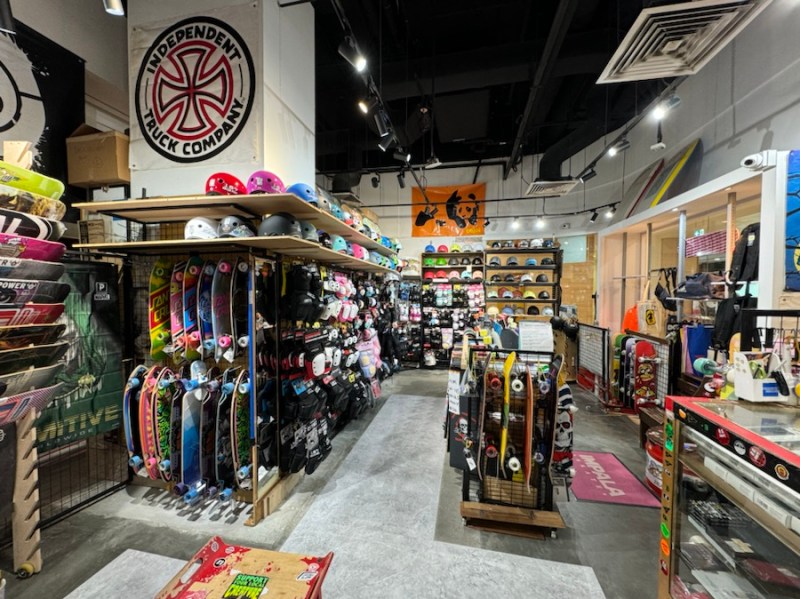
  • Somerset에 위치한 스케이트보드 샵 Go Sports 방문하다

    Somerset에 위치한 스케이트보드 샵 Go Sports 방문하다

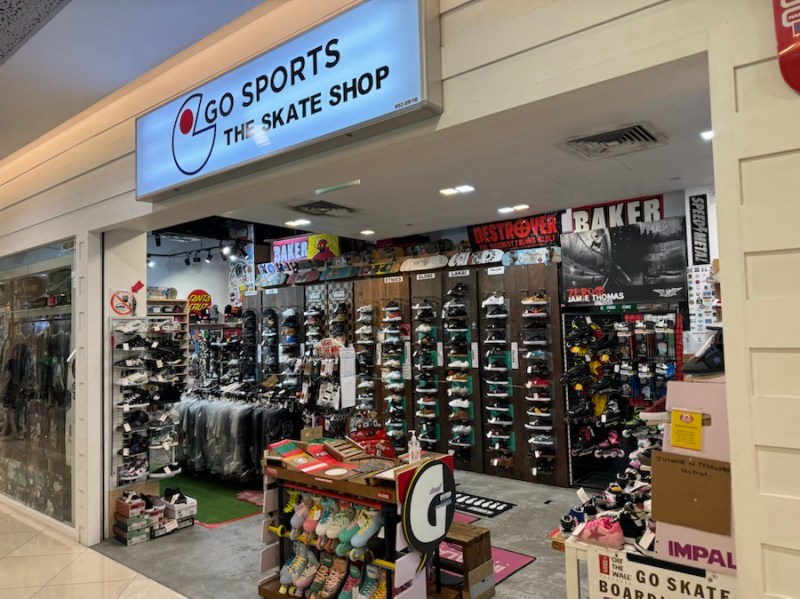
    오늘은 오차드 근처에 있는 Go Sports 스케이트보드 샵을 방문했다.

    레드라인 Somerset 역이랑 바로 연결되어 있어서 내가 그 동안 방문했던 스케이트보드 샵들 보다 찾기가 쉬웠다.

    C 출구로 나가서 연결된 쇼핑몰 2층으로 가면 된다.

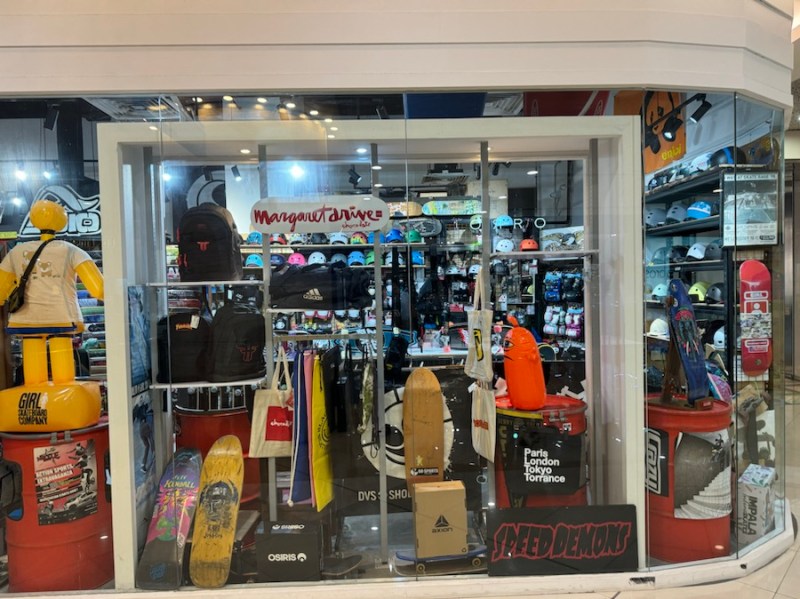
    매장 입구

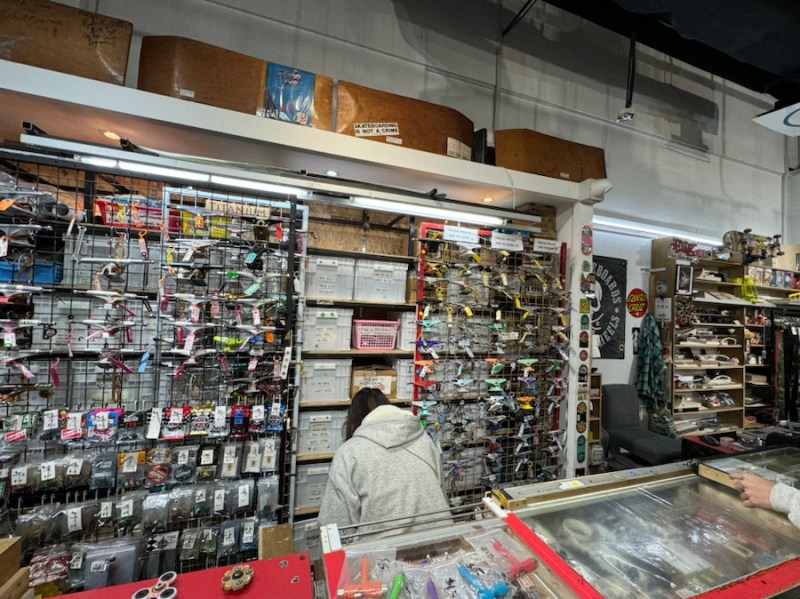
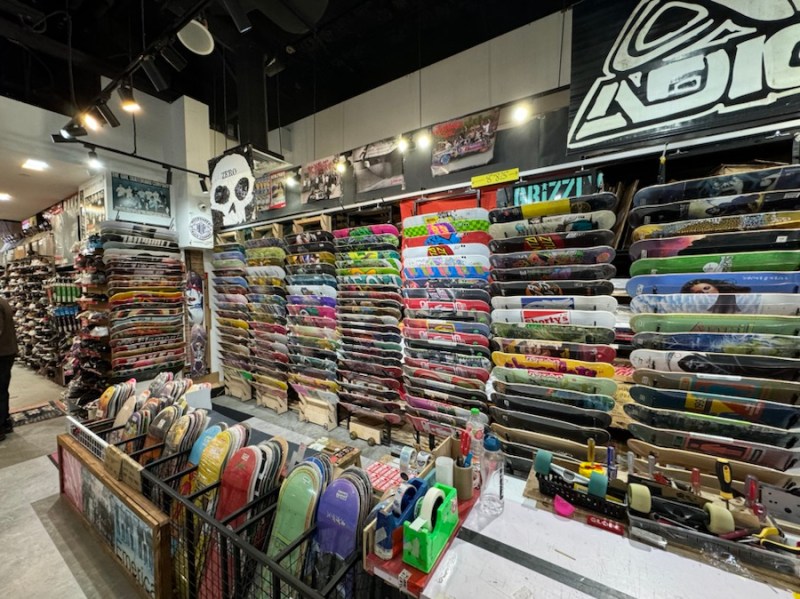
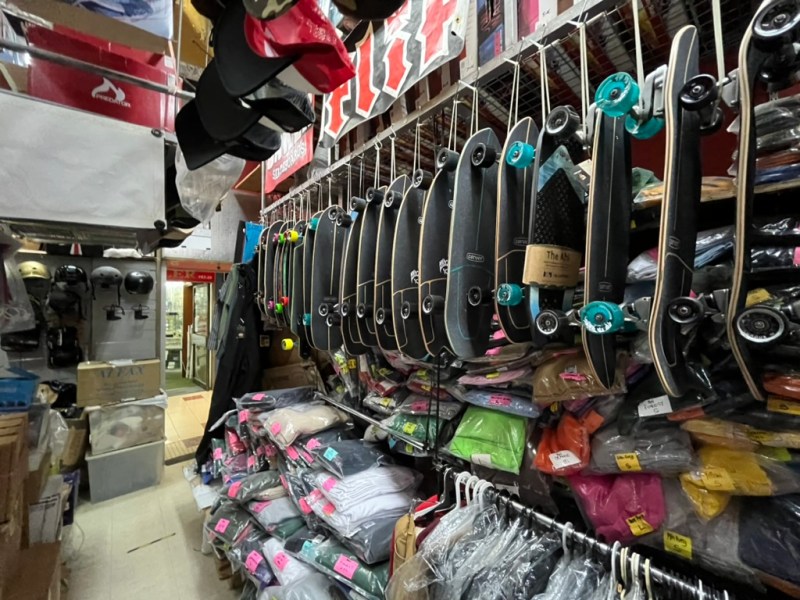
    내부 사진들

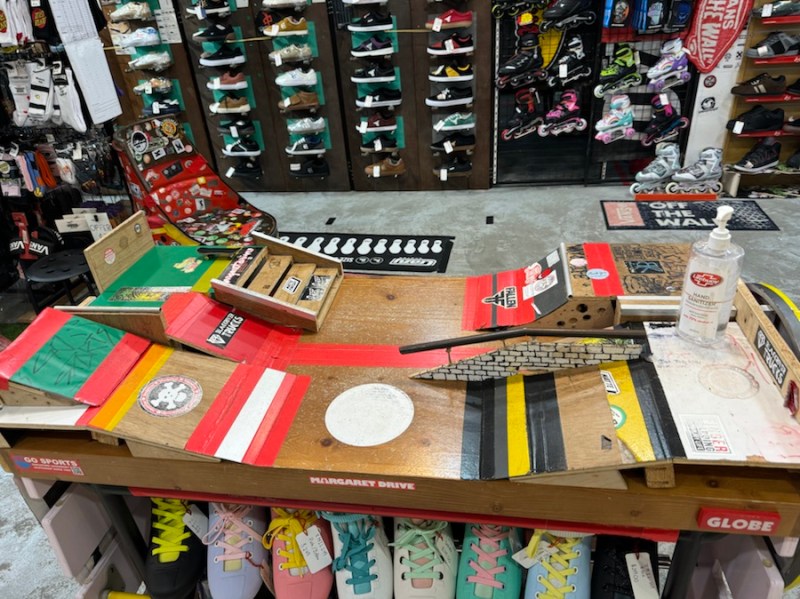
    핑거보드 파크도 있었다

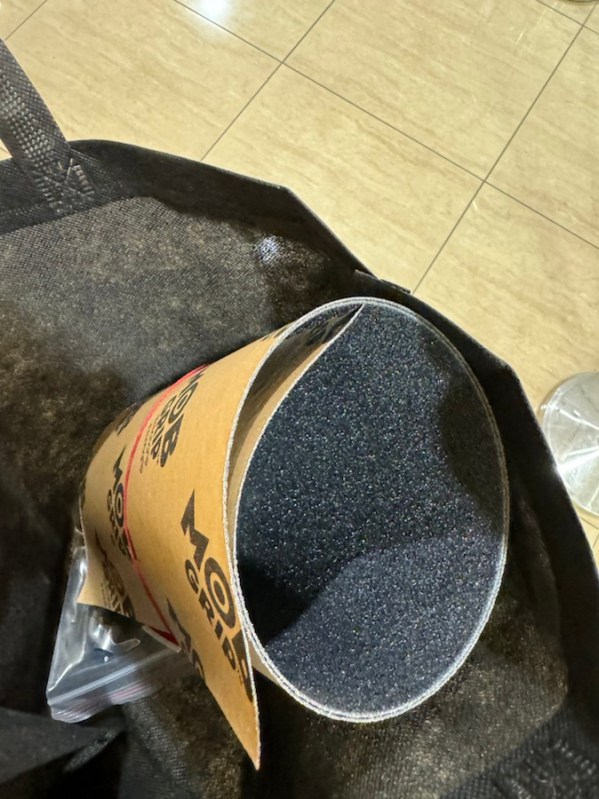
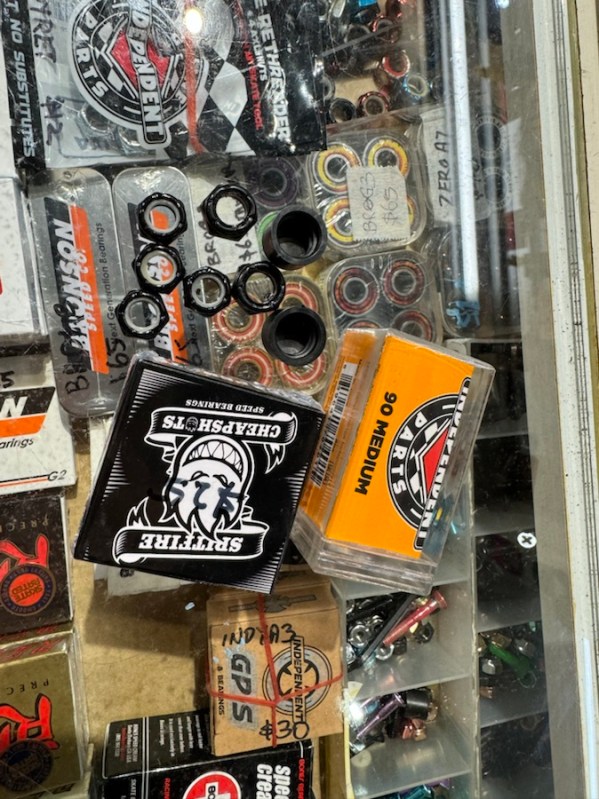
    구매한 것들

    그립 테이프 15불
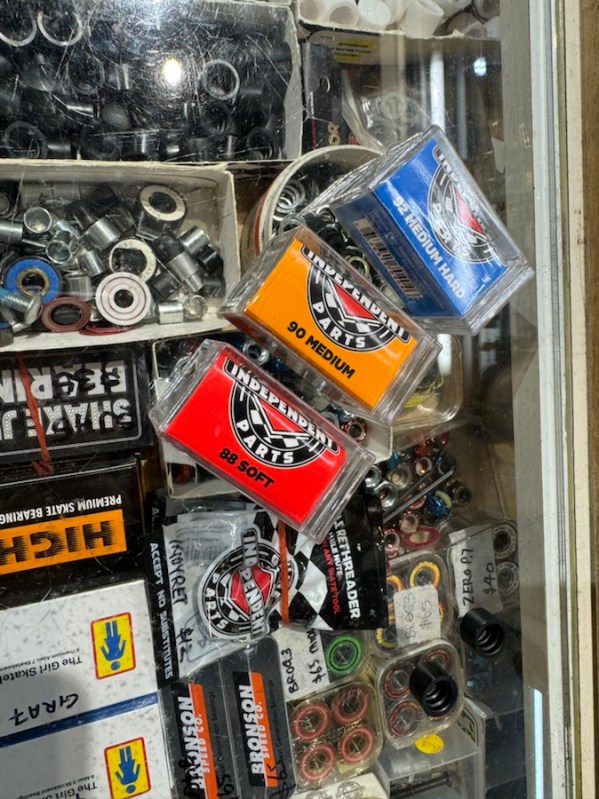
    베어링, 너츠, 트럭 킹핀 사이에 완충제 역할을 하는 부싱

    암튼 나의 낡은 보드의 부품을 교체하기 위해 몇 가지 부품을 구매했다.

    왠만한 부품은 정말 다 있다. 여기 직원들도 정말 친절한데 부품 교체하는 방법도 다 친절하게 설명해준다.

  • [Draft] Python cheat sheet for iOS Engineer

    [Draft] Python cheat sheet for iOS Engineer

    I asked my self Is python worth to learn for iOS development? My answer is Yes.

    Because I can use it for

    • Build scripts
    • Core ML + coreml tools
    • BE for Mobile (Django)

    Getting Principles

    • You can read the list of the python principles by importing this
    import this
    

    Cheatsheet

    Standard LibrarySwiftPython
    variablevar name = "Shawn"name = "Shawn"
    constantslet name = "Shawn"Not support
    But UPPERCASED Naming indicates constants It’s like a implicit rule in Python
    string"Hello World!"

    Multiline String
    """
    Hello
    Swift
    """


    Extended Delimiters
    #"Hello\n Swift"#

    It will print Hello\n Swift
    "Hello World!"
    'Hello World!'


    Swift can’t use single quote but Python can use


    formatted stringlet name = "Shawn"
    "My name is \(name)"
    name = "Shawn"
    f"My name is {name}"


    f means formatted string
    capitalizedvar greeting = “shawn baek”
    print(greeting.capitalized)
    //’Shawn Baek’
    name = “shawn baek”
    print(name.title())

    //’Shawn Baek’
    uppercased / lowercasedvar greeting = “Shawn Baek”

    print(greeting.uppercased())
    //’SHAWN BAEK’

    print(greeting.lowercased())
    //’shawn baek’
    name = “Shawn Baek”
    print(name.upper())
    //’SHAWN BAEK’

    print(name.lower())
    //’shawn baek’
    trimmingCharacters(in: .whitespacesAndNewlines)var greeting = ” Shawn Baek “

    //MARK: Remove leading / trailing spaces

    greeting.trimmingCharacters(in: .whitespacesAndNewlines)

    //’Shawn Baek’
    name = ” Shawn Baek “

    name.rstrip()
    // ‘ Shawn Baek’

    name.lstrip()
    //’Shawn Baek ‘

    name.strip()
    //’Shawn Baek’
    trimPrefixvar blogUrl = “https://shawnbaek.com”
    blogUrl.trimPrefix(“https://”)

    //’shawnbaek.com’
    blog_url = ‘https://shawnbaek.com’

    blog_url.removeprefix(‘https://’)
    //’shawnbaek.com’
    powvar number = pow(3.0, 2.0)

    print(number)
    //9.0
    number = 3.0 ** 2

    print(number)
    //9.0
    comment//Hello World#Hello World

  • How to get JetBrains Student Edition (Student Pack License)?

    How to get JetBrains Student Edition (Student Pack License)?

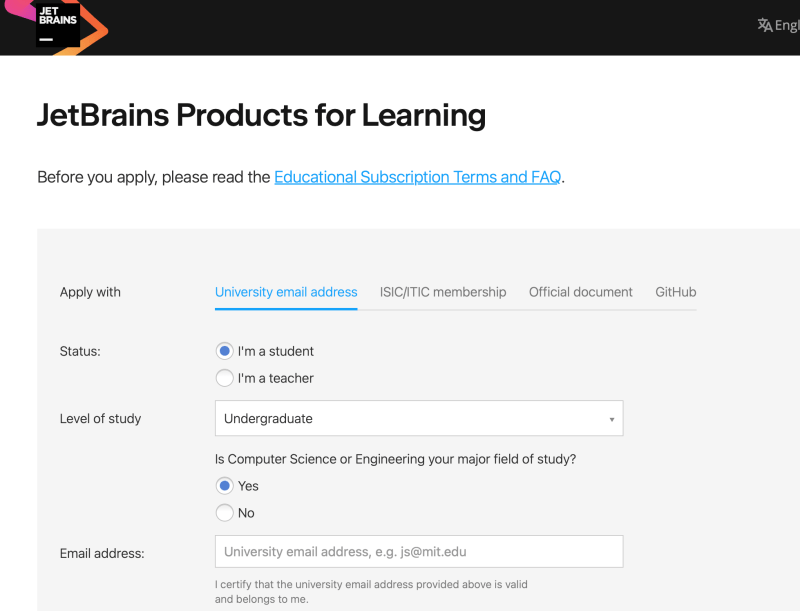
    You need a university email accounts.

    Visit and Apply student account

    https://www.jetbrains.com/lp/leaflets-gdc/students/

    Step 1. Enter your university email account

    Step 2. Verify email

    Step 3. Signup via Social Login (I used Apple Account)

    Step 4. Login

    Download JetBrains IDE

    JetBrains provides ultimate edition for Students. It is not a community edition.

    Download IDE you want to use and enter License ID

  • 스케이트보드 롱보드와 비슷하게 세팅하는 방법

    보통 스케이트보드라고 하면 트릭하는 용도인 스케이트보드를 의미한다. 그 외 크루저 보드, 롱보드 등등 여러가지 종류가 있다.

    일반 트릭용 스케이트보드를 롱보드처럼 타고 싶다면? 휠 정도만 고려하면 좋을 것 같다. 트럭은 그냥 일반적으로 많이 쓰는 인디펜던트 같은 거 쓰면 된다.

    소프트 휠

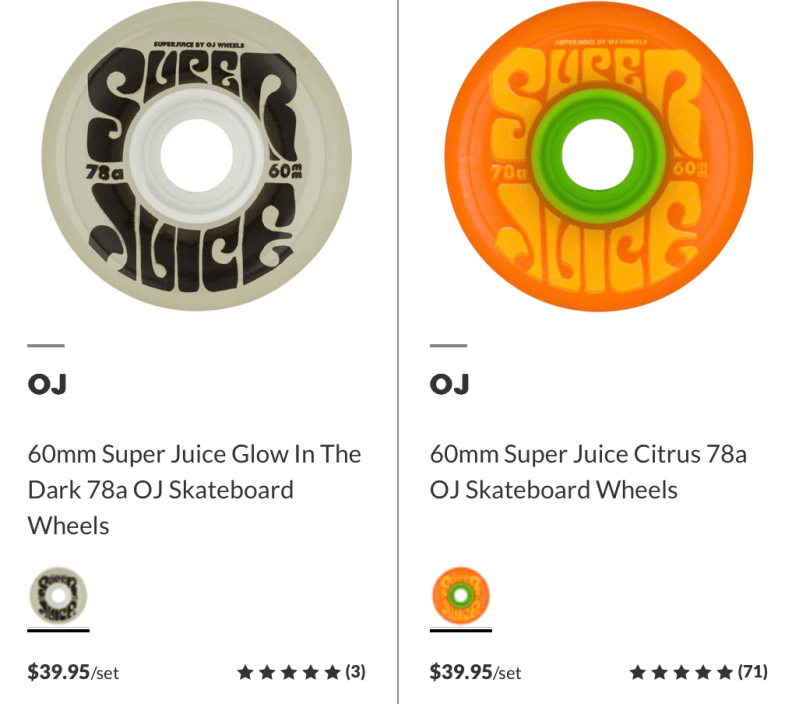
    소프트 휠이라 하면 강도가 좀 말랑말랑한 휠을 의미한다. 롱보드의 휠을 보면 대부분 말랑 말랑하다. OJ Wheel이라는 회사가 트릭용 스케이트보드에 맞는 소프트휠을 제작하는 회사로 유명하다. 물론 다른 회사들도 있지만 가성비가 꽤 좋다는 평이다.

    Wheel 스펙을 보면 58A (강도가 말랑말랑 할 수록 숫자가 낮다. 즉 98A는 강도가 딱딱한 휠을 의미함) 정도를 선택하면 된다.

    그리고 휠의 사이즈도 중요한데 지름이 클 수록 더 잘 굴러간다. 울퉁불퉁한 면도 지름이 작은 휠보다는 큰 휠이 더 매끄럽게 굴러간다.

    판매 사이트 참고

    소프트 휠임에도 불구하고 트릭에도 적합하다.

    롱보드와 비슷한 다운 힐 슬라이드도 가능할까?

    롱보드 영상을 보면 장갑을 끼고 손으로 바닥을 대면서 길게 슬라이드 하는 영상들이 있다. 일반 트릭용 스케이트보드도 물론 가능하다. 이건 꼭 소프트휠로 교체하지 않아도 가능하다. 아래 영상을 보면 롱보드가 아닌 일반 스케이트보드로 슬라이드 대회를 한 영상이다.

    안전장비 브랜드

    헬멧

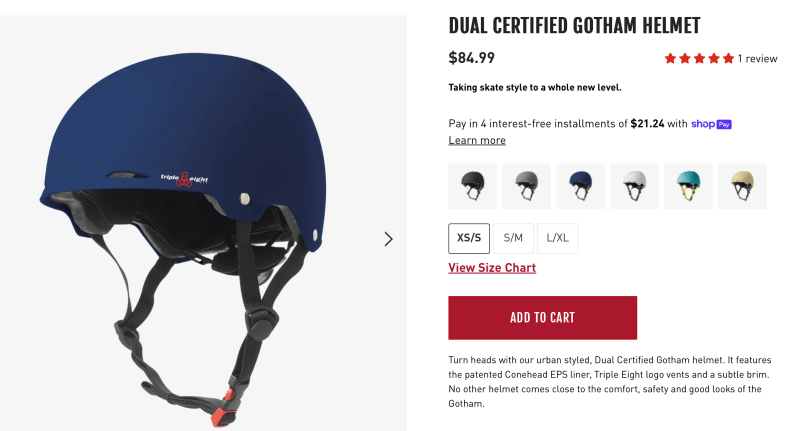
    슬라이딩 연습할 때 헬멧은 상당히 중요하다. Triple 8 Gotham Helmet 제품이 안전 기준으로도 괜찮고 가격도 10만원이 안넘는 금액으로 좋은 평을 받고 있다. (해당 사이트를 참고했다)

    장갑

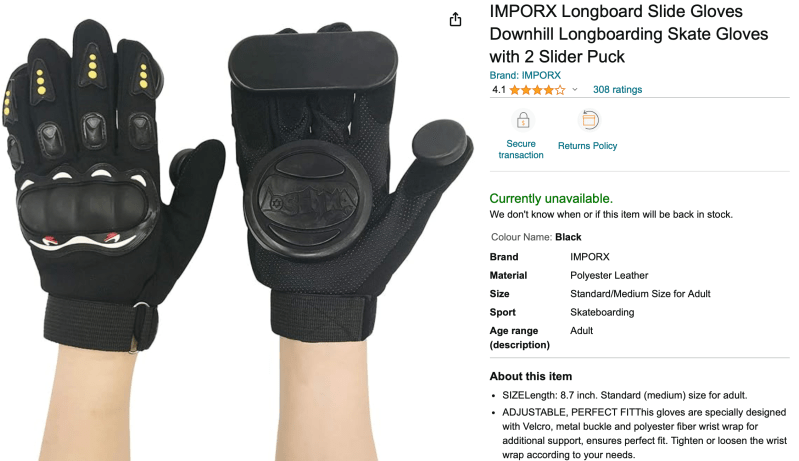
    장갑은 사실 소모품이라고 생각하기 때문에 장갑 하단의 퍽이 교체 가능한 장갑 아무거나 써도 된다고 생각한다. 그래도 유명한 브랜드를 추천하자면 Triple 8, Sector 9 등의 브랜드가 유명하다. (해당 사이트 참고했다.)

    IMPORX 브랜드는 가성비 좋다는 브랜드이다.

  • 싱가포르 스케이트보드 + 롱보드 샵 투어

    싱가포르 스케이트보드 + 롱보드 샵 투어

    싱가포르에 있는 보드샵 두군데를 다녀왔다.

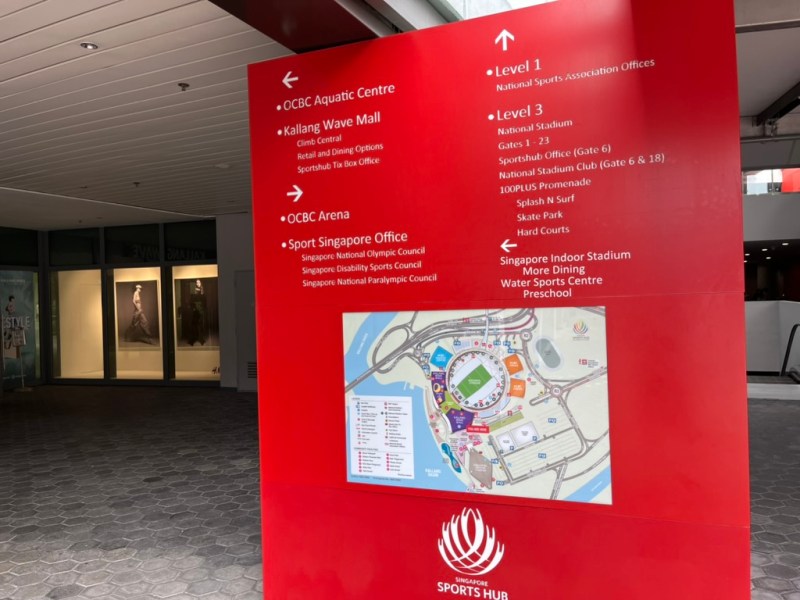
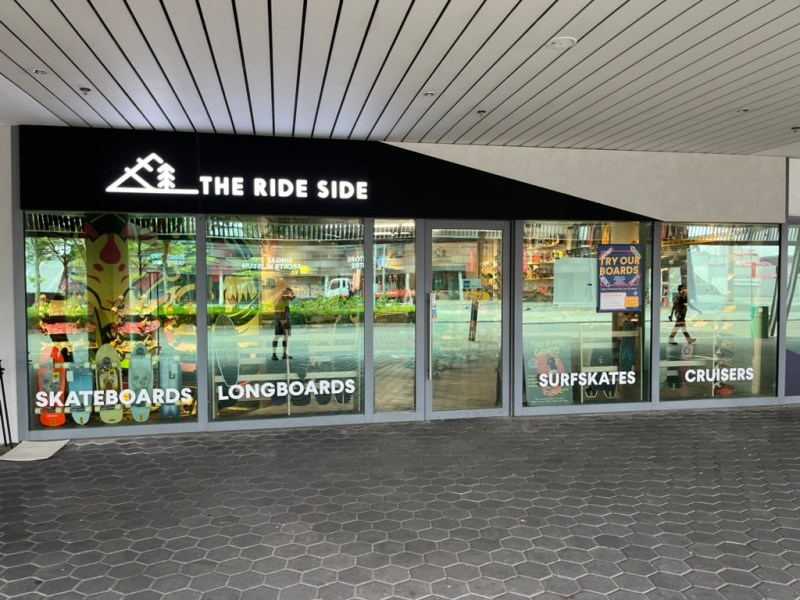
    첫 번째로 들린 곳은 Stadium 역에 있는 보드샵이다. KALLANG WAVE에 있다.

    THE RIDE STORE

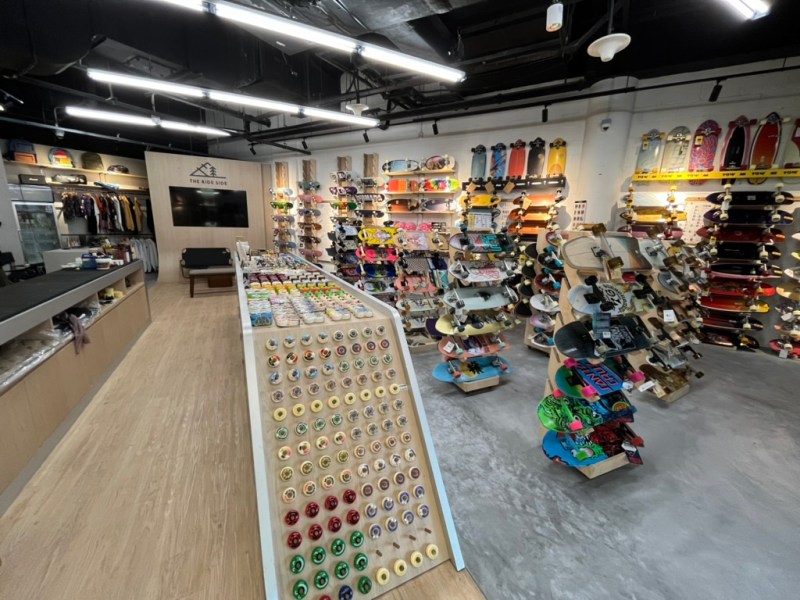
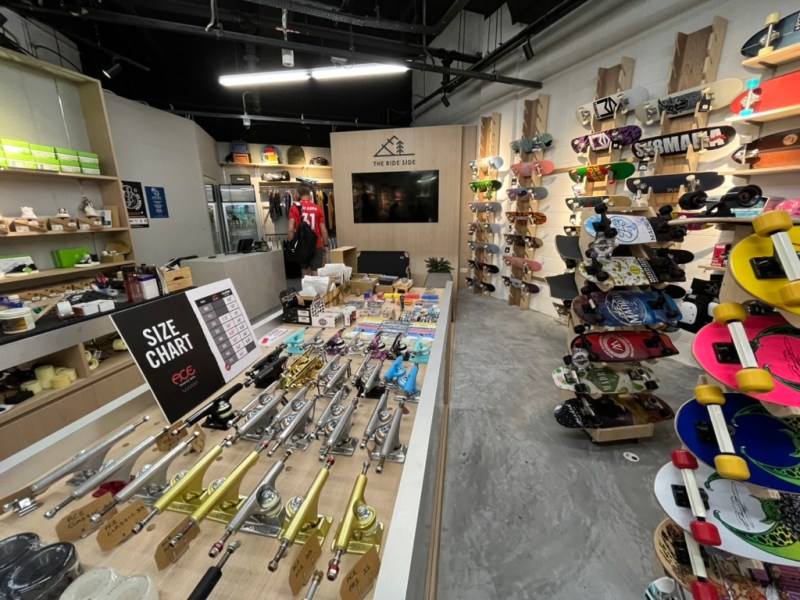
    보드샵이 꽤 큰 편이다. 롱보드도 많고 스케이트보드도 많다. 내가 좋아하는 브랜드들도 다 있어서 구경하는데 즐거웠다.

    보드샵 내부에 램프가 있다. 각종 보드들이 전시되어 있음.

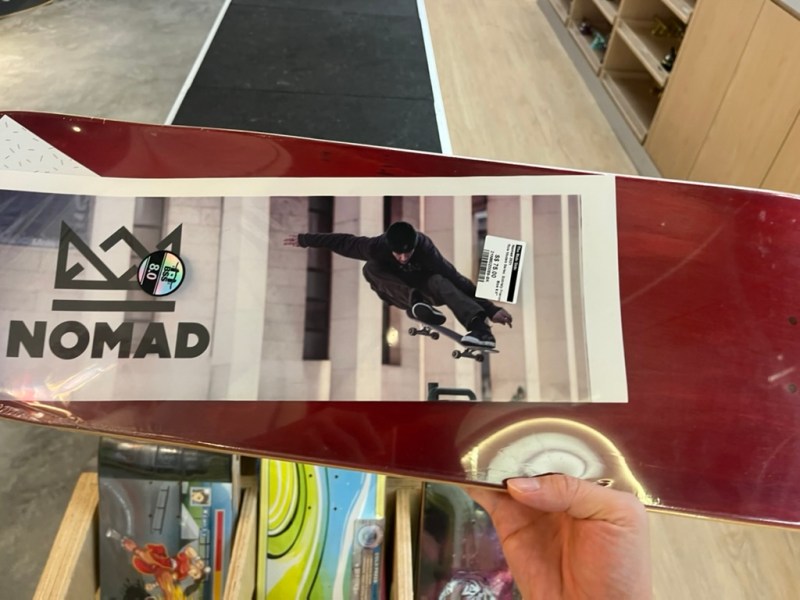
    저렴한 데크좀 보여달라고 했더니 75불짜리를 보여줬다. 한국이 좀 더 저렴한거 같긴 하다.

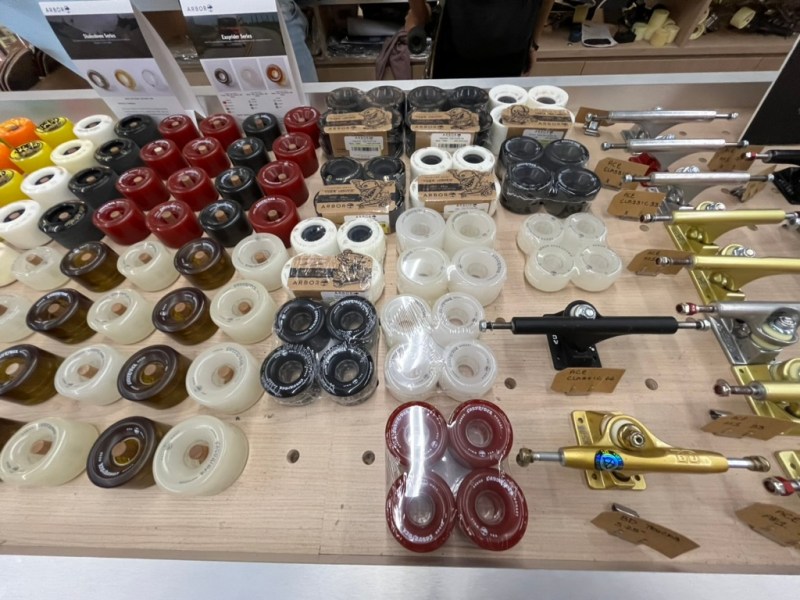
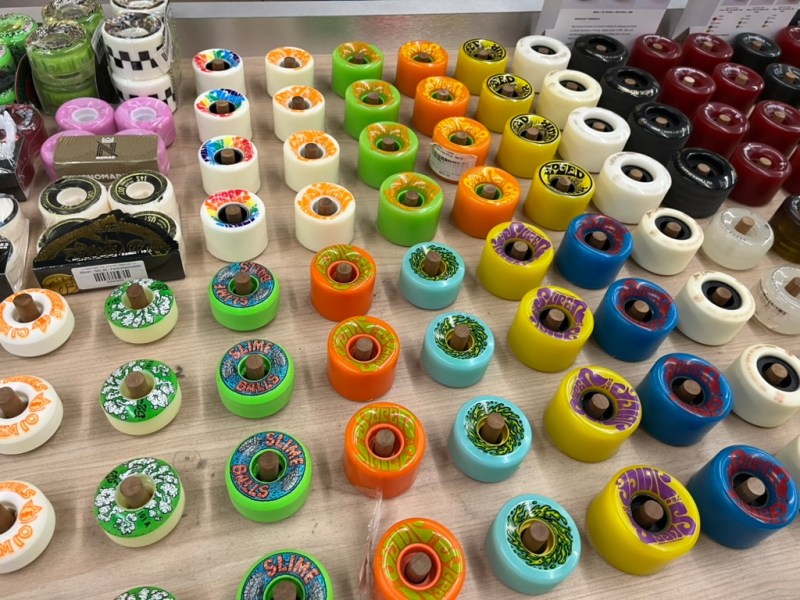
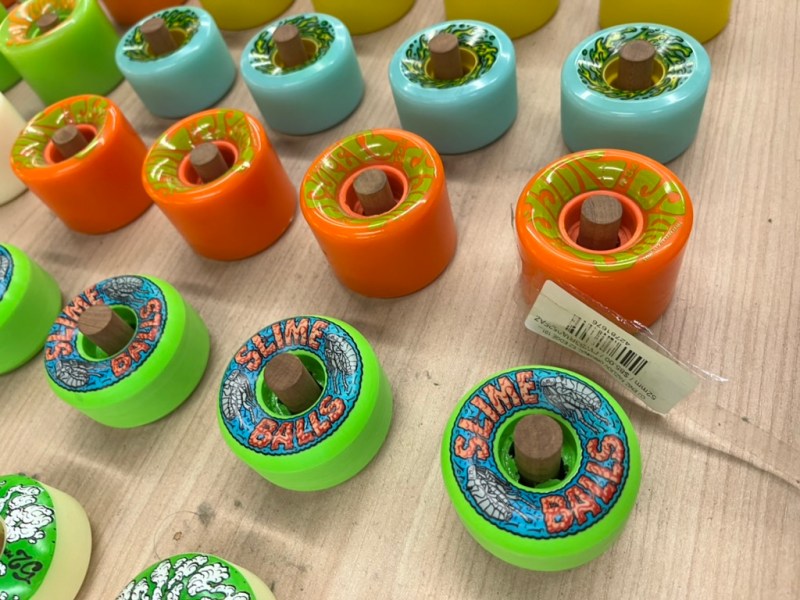
    소프트휠로 유명한 OJ 휠도 있었다. 주황색 휠 탐난다.

    대충 둘러보고 두번째 행선지인 SPITFIRE 보드샵으로 향했다.

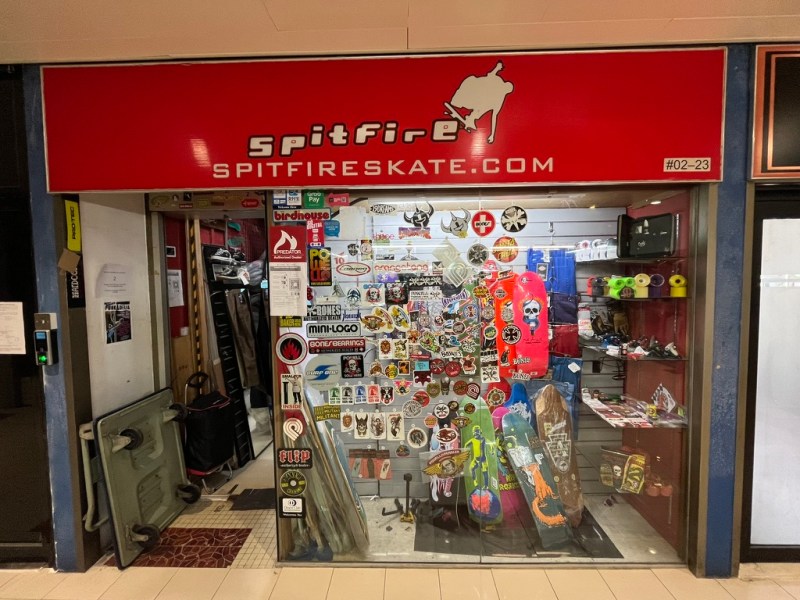
    SPITFIRE 보드샵

    Raffles City 역에서 내려서 한 5분 정도 걸어가면 SPITFIRE 보드샵이 보인다.

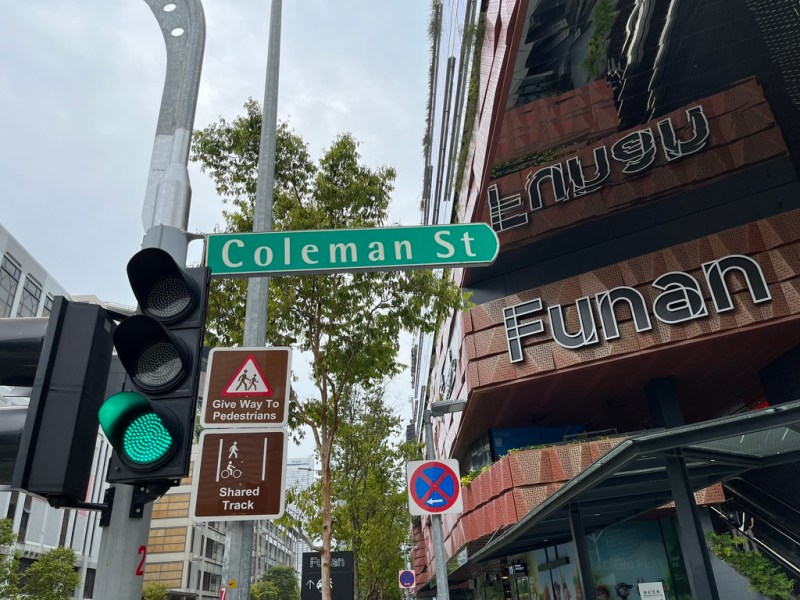
    Coleman Street 근처에 있다.

    건물내부 2층에 위치해 있다. 약간 이 건물 내부 가게들은 동대문운동장 같은 분위기다.

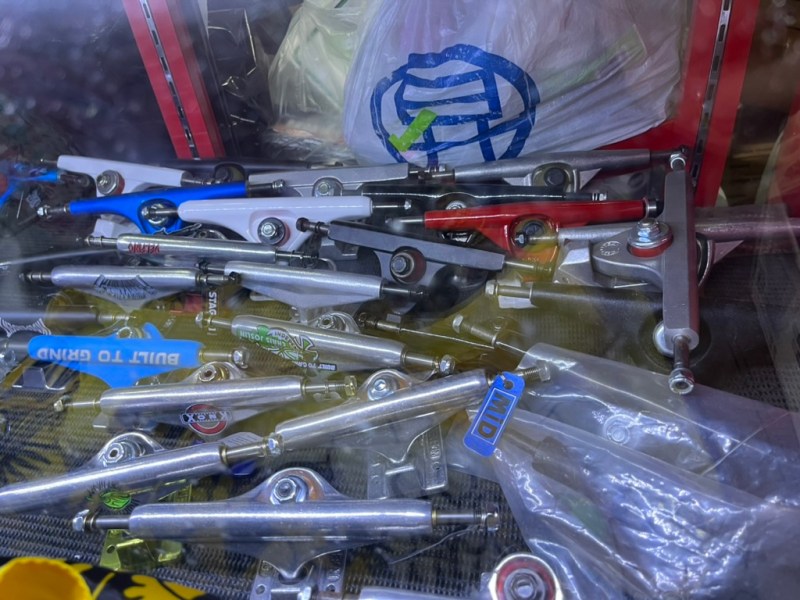
    각종 트럭들.

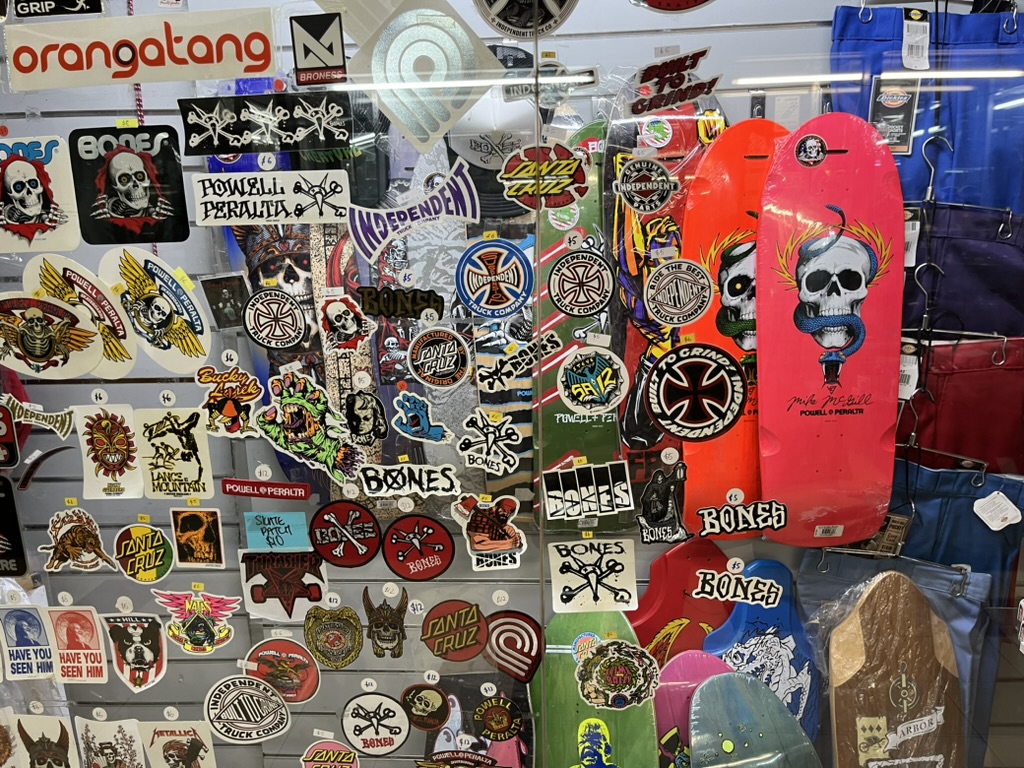
    휠과 베어링으로 유명한 본네스 제품도 있다. 파웰도 보이고..

    보드대신 아쉬운 마음에 본네스 스티커와 티셔츠를 구매했다.

    마치며

    싱가포르에는 스케이트보드 탈만한 곳이 많다. 보드샵도 제법 보인다. 스케이트보드 브랜드에 관심 많다면 한번 쯤 들려보면 좋을 것 같다. 나는 다음에 헬멧이나 보호장비 그리고 트럭이나 휠 구매하러 다시 방문할 예정.

  • Xcode: How to upload dSYM to Firebase Crashlytics

    Xcode: How to upload dSYM to Firebase Crashlytics

    Have you faced the missing dSYM issue? You can fix it by uploading dSYM to firebase.

    Official Document

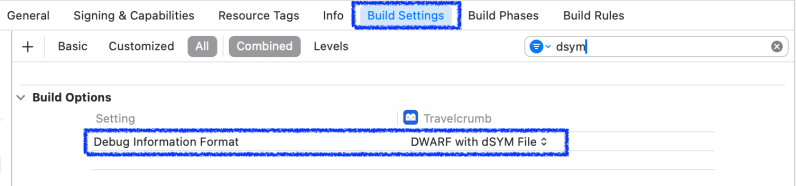
    Build Setting – Build Options

    Check DWARD with dSYM File

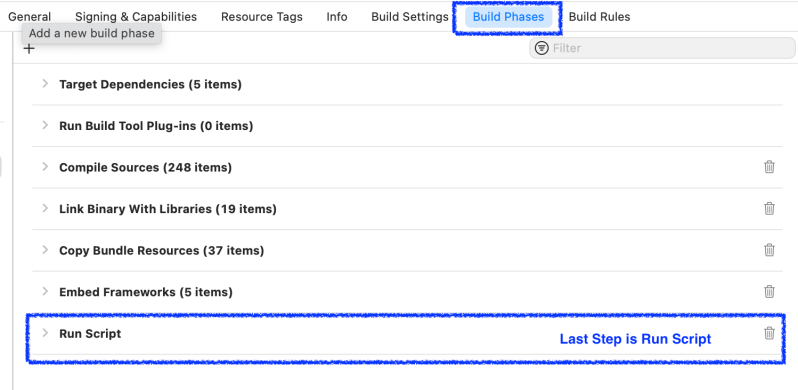
    Reorder Build Phase in Xcode

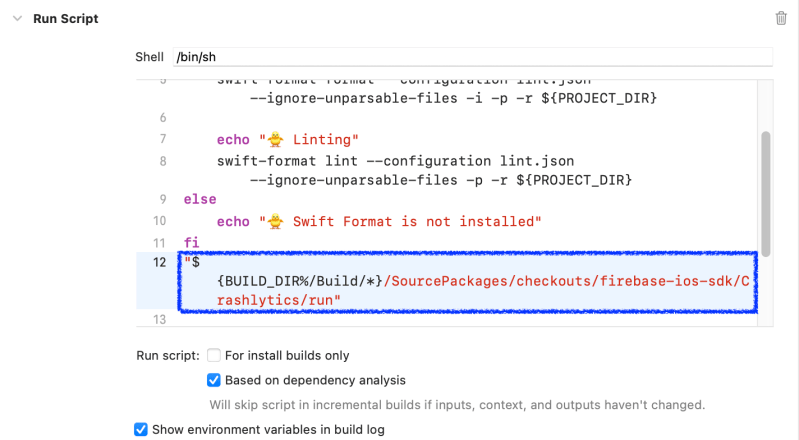
    Edit Run Script

    "${BUILD_DIR%/Build/*}/SourcePackages/checkouts/firebase-ios-sdk/Crashlytics/run"
    

    Add above command into Run Script

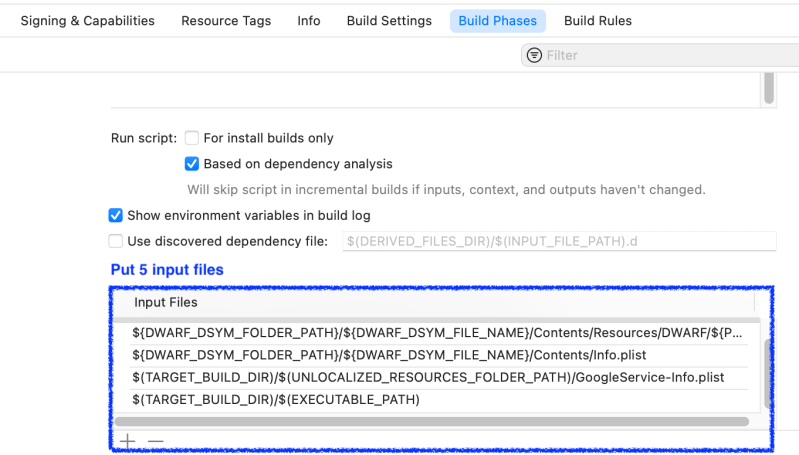
    Add Input Files

    ${DWARF_DSYM_FOLDER_PATH}/${DWARF_DSYM_FILE_NAME}
    ${DWARF_DSYM_FOLDER_PATH}/${DWARF_DSYM_FILE_NAME}/Contents/Resources/DWARF/${PRODUCT_NAME}
    ${DWARF_DSYM_FOLDER_PATH}/${DWARF_DSYM_FILE_NAME}/Contents/Info.plist
    $(TARGET_BUILD_DIR)/$(UNLOCALIZED_RESOURCES_FOLDER_PATH)/GoogleService-Info.plist
    $(TARGET_BUILD_DIR)/$(EXECUTABLE_PATH)
    

    Tap + button at Input Files and Add above paths one by one

    Check dSYM

    You can see uploading dsym process in All Messages

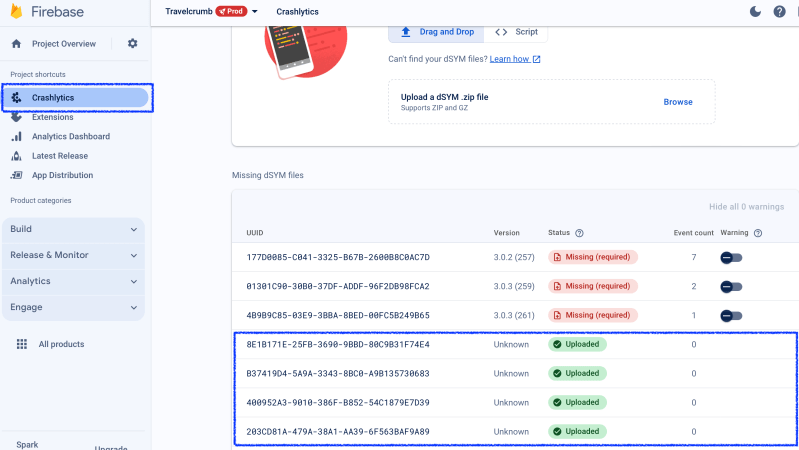
    Let’s check firebase Crashlytics.

    Crashlytics -> dSYMs

    You can see Uploaded

    • There is a minor issue which is Uploaded dSYM’s version is indicating Unknown

    Conclusion

    Now I able to see all the crash issue after uploading dSYM (see above screenshot).

  • Xcode Cloud, How to upload ipa to Firebase AppDistribution

    Xcode Cloud, How to upload ipa to Firebase AppDistribution

    1. Download firebase macOS tool

    https://firebase.google.com/docs/cli#mac-linux-standalone-binary

    2. Copy firebase-tools-macos.zip into ci_scripts folder

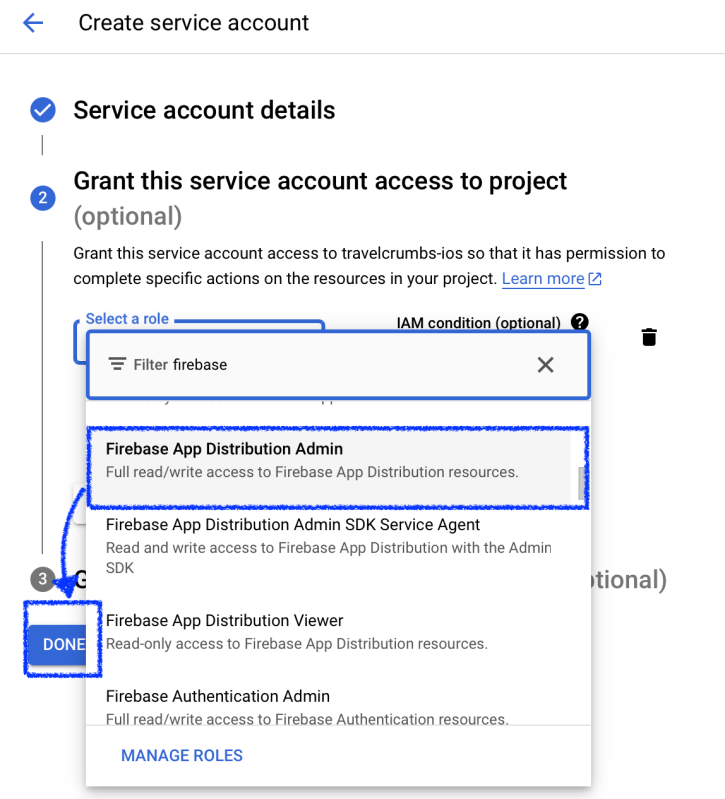
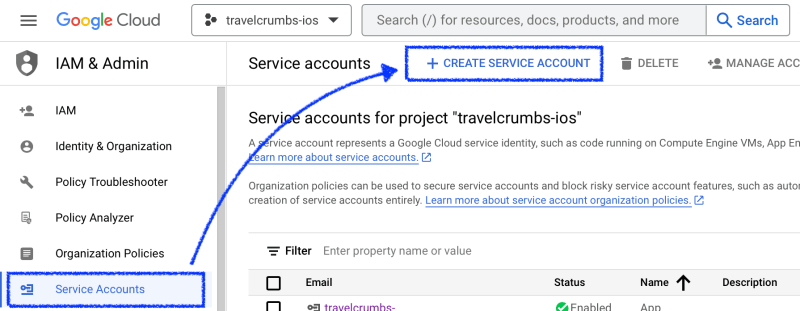
    3. Create Service Account

    I suggest use Service Account instead of using token. Because firebase no longer support token. (firebase login:ci)

    Document

    Don’t forget to check Project before creating Service Accounts.

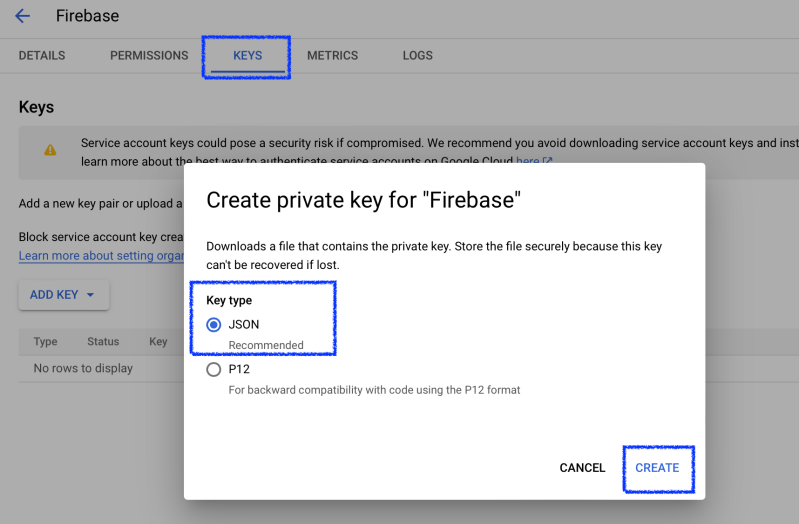
    Once create an account, create private key at KEYS.

    Put json file you download into ci_scripits folder and rename it as credentials.json

    4. Add Environment Variables at Xcode Cloud

    Add FIREBASE_APP_ID

    [Option] ADD GOOGLE_SERVICE_ACCOUNT_KEY

    You can skip this if you want to add json file into git repo. In this post, I’ll skip this step.

    Open JSON (Step 3, Downloaded JSON Key), Copy all the text in JSON and Paste it.

    # If you added GOOGLE_SERVICE_ACCOUNT_KEY into Xcode Cloud's Environment Variable then use this
    echo "$GOOGLE_SERVICE_ACCOUNT_KEY" | jq -r '.' > credentials.json
            
    export GOOGLE_APPLICATION_CREDENTIALS=./credentials.json
    

    5. Edit ci_post_clone.sh in ci_scripts folder

    Install any packages you want to use it later.

    #!/bin/sh
    brew install jq
    

    6. Edit ci_post_xcodebuild.sh in ci_scripts folder

    Document

    #!/bin/zsh
    upload_ipa_to_firebase() {
        unzip firebase-tools-macos.zip
        chmod +x ./firebase-tools-macos
        local file_path="$1/$CI_PRODUCT.ipa"
        echo "🚀 Upload $file_path to Firebase App ID $FIREBASE_APP_ID"
        # https://firebase.google.com/docs/app-distribution/authenticate-service-account?platform=ios
        export GOOGLE_APPLICATION_CREDENTIALS=./credentials.json
        ./firebase-tools-macos appdistribution:distribute "$file_path" --app "$FIREBASE_APP_ID"
        echo "🚀 End uploading dSYMs"
    }
    
    if [[ -n "$CI_ARCHIVE_PATH" && "$CI_XCODEBUILD_EXIT_CODE" == 0 ]]; then
        if [ -d "$CI_APP_STORE_SIGNED_APP_PATH" ]; then
            upload_ipa_to_firebase "$CI_APP_STORE_SIGNED_APP_PATH"
        elif [ -d "$CI_AD_HOC_SIGNED_APP_PATH" ]; then
            upload_ipa_to_firebase "$CI_AD_HOC_SIGNED_APP_PATH"
        fi
    else
        echo "Archive path isn't available. Unable to run dSYMs uploading script."
    fi
    

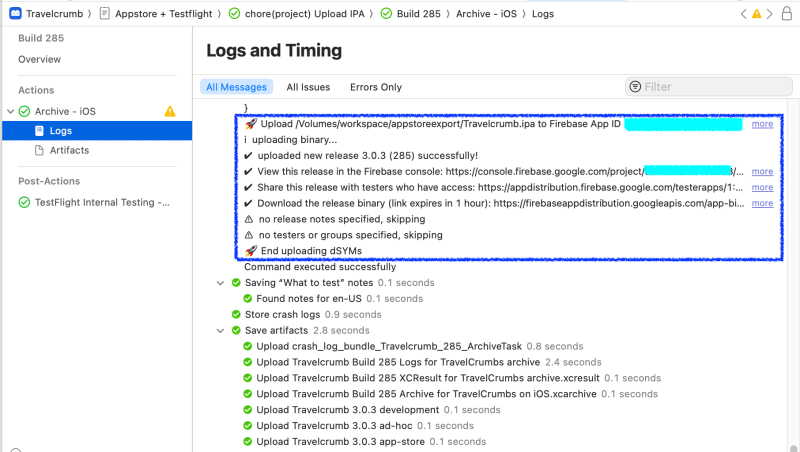
    7. Check ipa file

    Check Xcode Cloud Logs

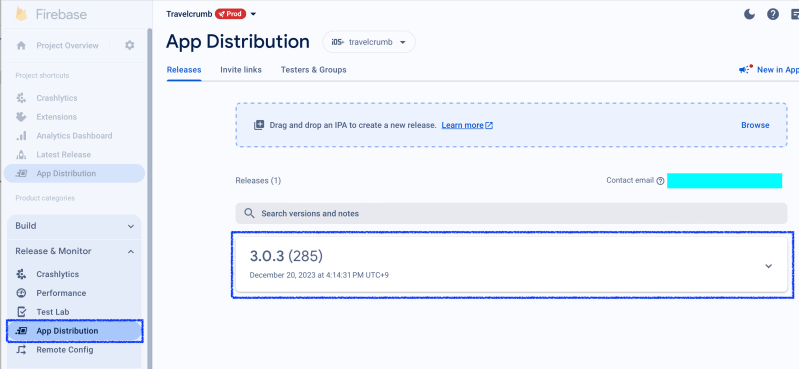
    Check Firebase

    Conclusion

    I faced a lot of issues to upload ipa file into firebase. Because firebase-tools-macos has updated and token login was deprecated.

    Also Xcode Cloud doesn’t support git-lfs. That’s why I upload firebase-tools-macos.zip file and unzip it at ci_post_xcodebuild.sh. (without zip file I need to set git-lfs because this tool’s size is around 150mb)

    The other option is download firebase-tool at ci_post_xcodebuild.sh.

    curl -sL https://firebase.tools | bash
    

    All options are up to you. I hope my post helps you. Thanks!

  • What is Dynamic Programming?

    What is Dynamic Programming?

    For me, DP problem is the most challenging problem when I faced it during the interview process. To understand it I summarize basic concepts and patterns.

    Simply It can be defined,

    Dynamic Programming = Complex problems -> smaller subproblem

    Dynamic Programming vs Divide and Conquer

    Key difference

    • Dynamic Programming – has overlapping sub problems

    Dynamic Programming Paradigm

    Optimal Substructure

    In computer science, a problem is said to have optimal substructure if an optimal solution can be constructed from optimal solutions of its subproblems. This property is used to determine the usefulness of greedy algorithms for a problem.

    WIKIPEDIA

    It can solve these kinds of problems

    • Greedy approach

    Bellman Equation (Combinatorial optimization)

    Bellman showed that a dynamic optimization problem in discrete time can be stated in a recursive, step-by-step form known as backward induction by writing down the relationship between the value function in one period and the value function in the next period. The relationship between these two value functions is called the “Bellman equation”.

    WIKIPEDIA

    It can solve these kinds of problems

    • 0-1 Knapsack problem

    What is overlapping subproblems?

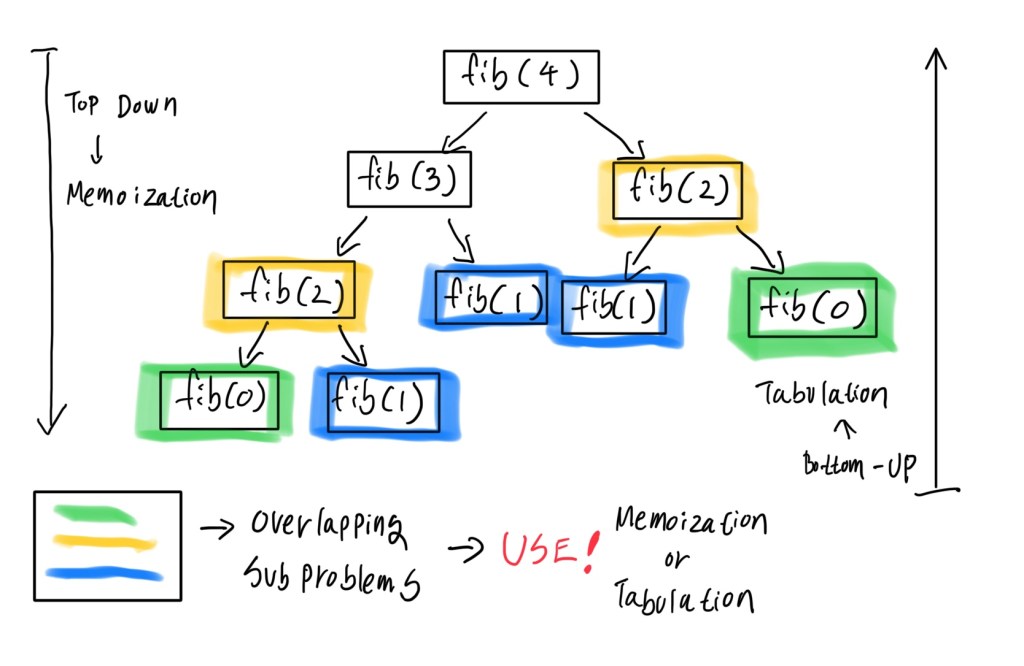
    Let’s see fibonacci problem.

    fib(n) = fib(n-1) + fib(n-2)
    
    //Base case
    fib(0) = 0
    fib(1) = 1
    

    To get the fib(n), we need to call fib(n-1) and fib(n-2) and then sum it.

    Colored boxes are overlapped sub problems. Because It was called multiple times.

    How to avoid multiple calling overlapped subproblems?

    Answer: Save the result and use it without calling a function or recalculating it.

    Top-Down Approach: Memoization (Recursion)

    Memoization you can implement using Array or Dictionary. In Swift, You have to handle it carefully like out of bounds.

    class Fibonacci {
      func fib(_ n: Int) -> Int {
        var memoization = Array(repeating: 0, count: n + 1)
        func recursiveFib(
          _ n: Int, 
          memoization: inout [Int]
        ) -> Int {
          if memoization[n] != 0 {
            return memoization[n]
          }
          if n < 2 {
            memoization[n] = n
            return n
          }
          let sum = recursiveFib(n-1, memoization: &memoization) + recursiveFib(n-2, memoization: &memoization)
          memoization[n] = sum
          return sum
        }
        return recursiveFib(n, memoization: &memoization)
      }
    }
    
    let fibonacci = Fibonacci()
    let result = fibonacci.fib(7) //Result is 13
    

    I prefer to use dictionary for memoization. It’s more safe and easy to save the result of subproblems.

    class Fibonacci {
      var memoization = [Int: Int]()
      func fib(_ n: Int) -> Int {
        if let value = memoization[n] {
            return value
        }
        if n < 2 {
          memoization[n] = n
          return n
        }
        let sum = fib(n-1) + fib(n-2)
        memoization[n] = sum
        return sum
      }
    }
    
    let fibonacci = Fibonacci()
    let result = fibonacci.fib(7) //Result is 13


    Bottom-Up Approach: Tabulation (avoid recursion)

    This approach solve the bottom subproblems first and save the results. You don’t need to use recursion.

    class Fibonacci {
      func fib(_ n: Int) -> Int {
        var dp = Array(repeating: 0, count: n + 1)
        //base
        dp[0] = 0
        dp[1] = 1
    
        for i in 2...n {
          dp[i] = dp[i-1] + dp[i-2]
        }
        return dp[n]
      }
    }
    
    let fibonacci = Fibonacci()
    let result = fibonacci.fib(7) //Result is 13
    

    [Working in Progress] Dynamic Programming Problem Patterns

    Step 1. Understand problem

    Step 2. Check Is this problem can be solved by splitting into Sub Problems

    Step 3. Is Sub Problems are overlapped?

    Step 4. If Yes, It’s DP problem.

    Step 5. [Hardest Part] Define a logic when to take an item and do not take an item to reach the solution. -> Don’t memorize the solutions, all the problems we need to define a proper logic by understanding problem.

    Step 6. Give a solution (including all taken items)

    Knapsack Problem

    Divisible Knapsack Problem

    • Greedy approach can be used

    0-1 Knapsack Problem (consider should I take a item or not)

    • 0: Not take an item
    • 1: Take an item

    Rod Cutting Problem

    References

    https://www.udemy.com/share/101AYS3@4sd_kGNnngOfRfF3meBvqpARWBcWTlGxzqIQuKnKpxCDk-bb017OhSQJeotE-YGg/

  • 싱가포르 코워킹 카페 Yeast Side (회원제 아닌 곳)

    싱가포르 코워킹 카페 Yeast Side (회원제 아닌 곳)

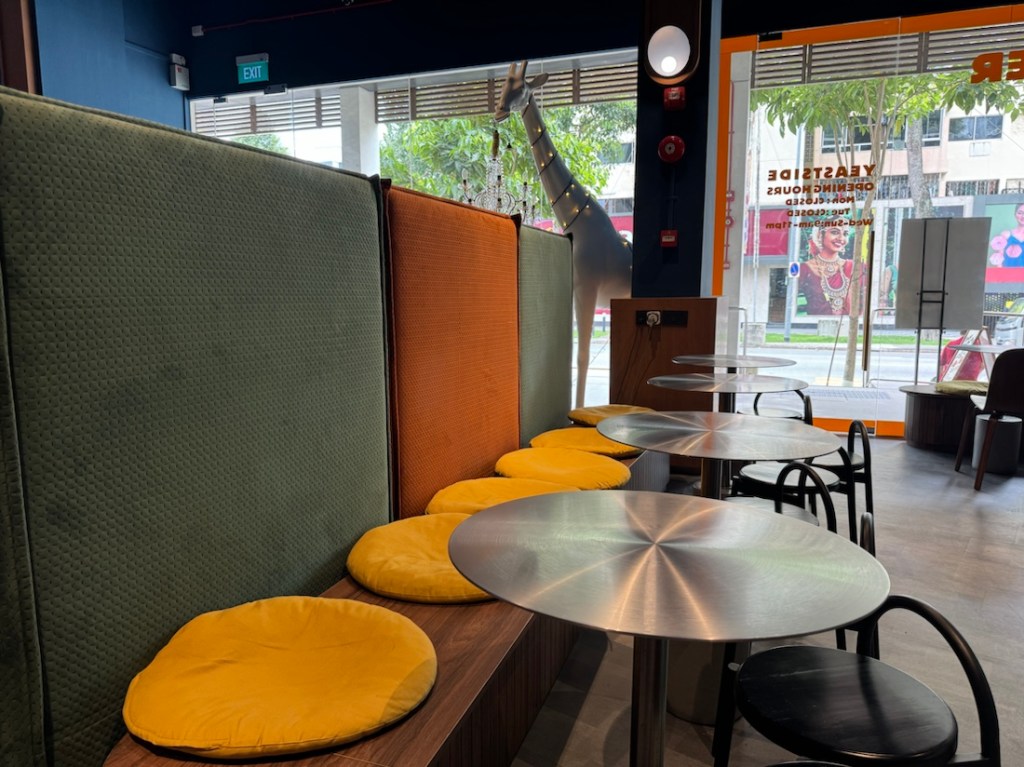
    Farrer Park MRT 근처 코워킹 카페를 다녀왔다. 대부분의 코워킹 스페이스들이 회원제인 반면 여기는 커피한잔만 시켜도 아무 눈치 안보고 오랫동안 앉아서 일할 수 있는 곳이다.

    특히 좋았던 점은 테이블마다 비치되어 있는 콘센트들이다.

    싱가포르 전용 플러그인이 없더라도 다양한 나라의 플러그인을 지원하는 멀티 플러그인이 비치되어 있다

    원래 이 건물의 윗층은 호스텔이다. 그래서 1층을 공용공간 겸 카페로 만든 것 같다. 여기는 음료뿐만 아니라 피자와 같은 것들도 판매한다.