✍️ Note
Some codes and contents are sourced from Apple’s official documentation. This post is for personal notes where I summarize the original contents to grasp the key concepts
OperationQueue
An operation queue invokes its queued
Operationobjects based on their priority and readiness. After you add an operation to a queue, it remains in the queue until the operation finishes its task. You can’t directly remove an operation from a queue after you add it.Operation queues retain operations until the operations finish, and queues themselves are retained until all operations are finished. Suspending an operation queue with operations that aren’t finished can result in a memory leak.
Apple
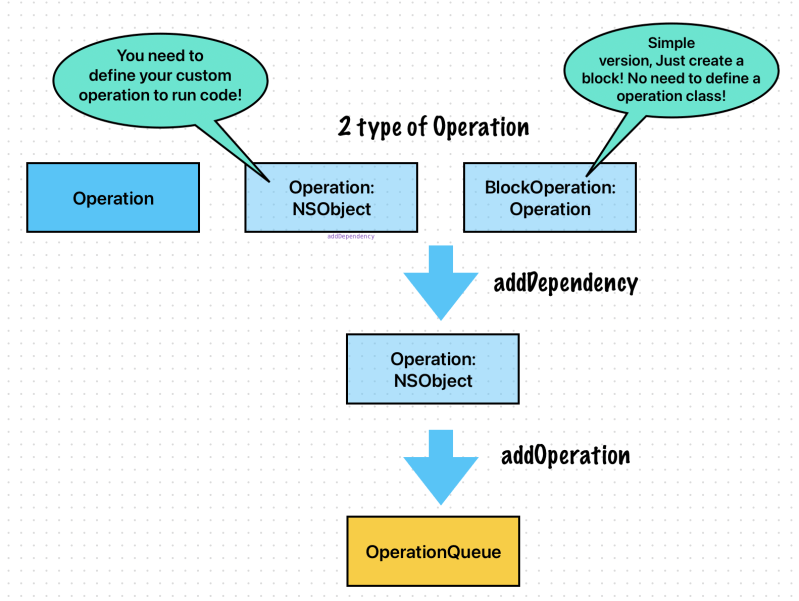
Operation
Operation objects are synchronous by default. In a synchronous operation, the operation object does not create a separate thread on which to run its task
Apple
class DownloadImageOperation: Operation {
    var dataTask: URLSessionDataTask!
    init(url: URL) {
        super.init()
        dataTask = URLSession.shared.dataTask(with: url) { [unowned self] data, response, error in
            print("\(self.name!) downloaded")
        }
    }

    override func start() {
        super.start()
        print("\(self.name!) started")
        dataTask.resume()
    }

    override func cancel() {
        super.cancel()
    }
}
let operationQueue = OperationQueue()

let firstOperation = DownloadImageOperation(url: URL(string: "https://picsum.photos/200/300?grayscale")!)
firstOperation.name = "first"

let secondOperation = DownloadImageOperation(url: URL(string: "https://picsum.photos/200/300?grayscale")!)
secondOperation.name = "second"

//first operation will not start until second operation start.
firstOperation.addDependency(secondOperation)
operationQueue.addOperations([secondOperation, firstOperation], waitUntilFinished: false)


//Prints
second started
first started
second downloaded
first downloaded
The first operation depends on the second operation. This means it can’t be started if the second operation hasn’t started yet.
operationQueue.addOperations([firstOperation, secondOperation], waitUntilFinished: false)
If you add firstOperation first, the results are the same. second started and then first started.
Cancel Operation

class DownloadImageOperation: Operation {
    var dataTask: URLSessionDataTask!
    init(url: URL) {
        super.init()
        dataTask = URLSession.shared.dataTask(with: url) { [unowned self] data, response, error in
            print("🟢 \(self.name!) downloaded")
        }
    }

    override func start() {
        super.start()
        print("🟢 \(self.name!) started")
        dataTask.resume()
    }

    override func cancel() {
        super.cancel()
        print("🔴 \(self.name!) canceled")
    }
}

let operationQueue = OperationQueue()
let firstOperation = DownloadImageOperation(url: URL(string: "https://picsum.photos/200/300?grayscale")!)
firstOperation.name = "first"

let secondOperation = DownloadImageOperation(url: URL(string: "https://picsum.photos/200/300?grayscale")!)
secondOperation.name = "second"

firstOperation.addDependency(secondOperation)

operationQueue.addOperations([firstOperation, secondOperation], waitUntilFinished: false)
operationQueue.cancelAllOperations()
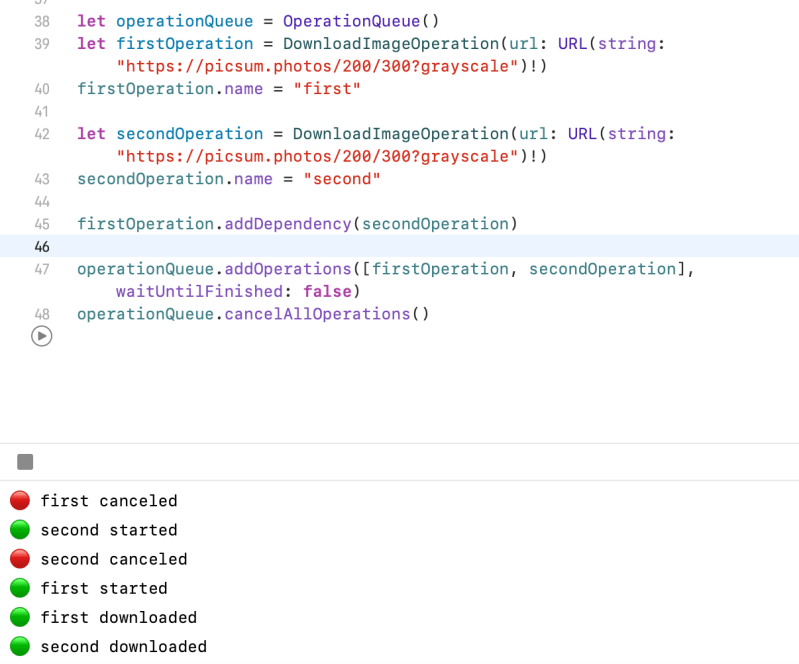
When you cancel operations, operations will start and finish the task. And then It removed from operationQueue.

 Shawn
Shawn 
Leave a comment