This post is the second part of our OpenAPI series. Let’s set up GitHub Actions for validating an OpenAPI spec before merging into the main branch.
Check more details
Step 1. Install IBM OpenAPI Validator
npm i -g ibm-openapi-validator
npm i @ibm-cloud/openapi-ruleset
Step 2. Setup OpenAPI Rullset
extends: '@ibm-cloud/openapi-ruleset'
rules:
  ibm-accept-and-return-models: info
  ibm-integer-attributes: false
  ibm-required-array-properties-in-response: false
  ibm-property-casing-convention: false
Create an file – validator-rules.yaml
You can check details
ibm rules (inherent from spectral:as rules)
spectral:oas rules
Step 3. Setup Configurations
Create an file – validator-config.yml
errorsOnly: true
colorizeOutput: true
limits:
  warnings: 25
outputFormat: 'text'
summaryOnly: false
files:
  - api.yml
ignoreFiles:
  - validator-config.yml
logLevels:
  root: error
  ibm-schema-description-exists: debug
ruleset: ./validator-rules.yaml
produceImpactScore: false
markdownReport: true
Check document
Step 4. Check Project Folders and Files

Step 5. Run Validator on your Local Machine
lint-openapi -c ./validator-config.yml ./api.yml --errors-only --no-colors
After run the command, It will generate reporting file (md)
- api-validator-report.md
Step 6. Add .gitignore file
node_modules/
package-lock.json
package.json
api-validator-report.md
Step 7. Setup Github Action
name: Validate OpenAPI Documentation
on:
  pull_request:
    branches: [main]
  push:
    branches: [main]

jobs:
  validate:
    name: Validate OpenAPI Documentation
    runs-on: ubuntu-latest
    permissions:
      contents: read
      pull-requests: write

    steps:
      - name: Checkout code
        uses: actions/checkout@v4

      - name: Setup Node.js
        uses: actions/setup-node@v4
        with:
          node-version: '20'

      - name: Install IBM OpenAPI Validator
        run: |
          npm i -g ibm-openapi-validator
          npm i @ibm-cloud/openapi-ruleset

      - name: Validate api.yml
        id: validation
        run: |
          if lint-openapi -c ./validator-config.yml ./api.yml --errors-only --no-colors > validation_result.txt 2>&1; then
            echo "validation_status=success" >> $GITHUB_OUTPUT
          else
            echo "validation_status=failed" >> $GITHUB_OUTPUT
          fi
        continue-on-error: true

      - name: Comment PR with validation output
        if: github.event_name == 'pull_request'
        uses: actions/github-script@v7
        with:
          script: |
            const fs = require('fs');
            const validationStatus = '${{ steps.validation.outputs.validation_status }}';
            const validationOutput = fs.readFileSync('api-validator-report.md', 'utf8');

            let body = '';

            if (validationStatus === 'success') {
              body = `## ✅ OpenAPI Validation Passed

              **File**: \`./api.yml\`
              **Commit**: \`${{ github.sha }}\`

              ${validationOutput}

              `;
            } else {
              body = `## ❌ OpenAPI Validation Failed

              **File**: \`./api.yml\`
              **Commit**: \`${{ github.sha }}\`

              ${validationOutput}

              `;
            }

            // Truncate if too long for GitHub comment limit
            if (body.length > 65000) {
              body = body.slice(0, 65000) + '\n\n... (truncated due to GitHub comment length limit)';
            }

            // Find existing comment and update or create new one
            const { data: comments } = await github.rest.issues.listComments({
              owner: context.repo.owner,
              repo: context.repo.repo,
              issue_number: context.issue.number,
            });

            const marker = 'OpenAPI Validation';
            const existing = comments.find(c => c.body && c.body.includes(marker));

            if (existing) {
              await github.rest.issues.updateComment({
                owner: context.repo.owner,
                repo: context.repo.repo,
                comment_id: existing.id,
                body
              });
            } else {
              await github.rest.issues.createComment({
                owner: context.repo.owner,
                repo: context.repo.repo,
                issue_number: context.issue.number,
                body
              });
            }


      - name: Fail job if validation failed
        if: steps.validation.outputs.validation_status == 'failed'
        run: exit 1
Create Github Action yml file
- .github/workflows/validator.yml
⚠️ Check md file name – api-validator-report.md
const validationOutput = fs.readFileSync('api-validator-report.md', 'utf8');
Step 8. Check Github Action’s results
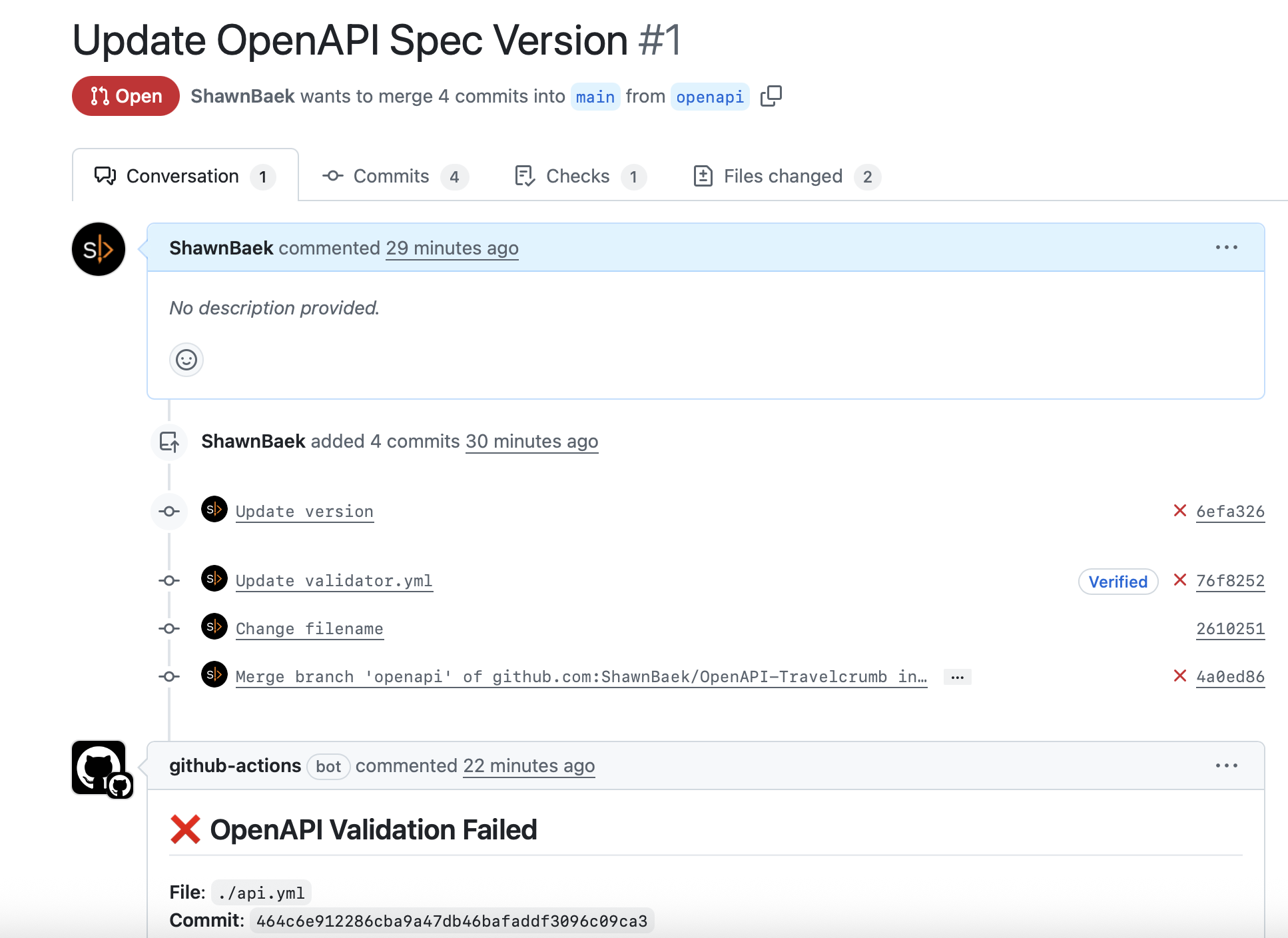
This is the last step, let’s check the results.

When you create a PR that targets main branch, our GitHub action will run and comment results on your Opened PR.


IBM OpenAPI Validator provides very detailed information. To fix issues, You can update your OpenAPI Spec file or You can change the rulesets if you don’t want to change your OpenAPI Spec files.
BTW This validator is really helpful it prevent wrong OpenAPI spec merged into main branch.
Leave a Reply