How to install IPA file on iPhone device

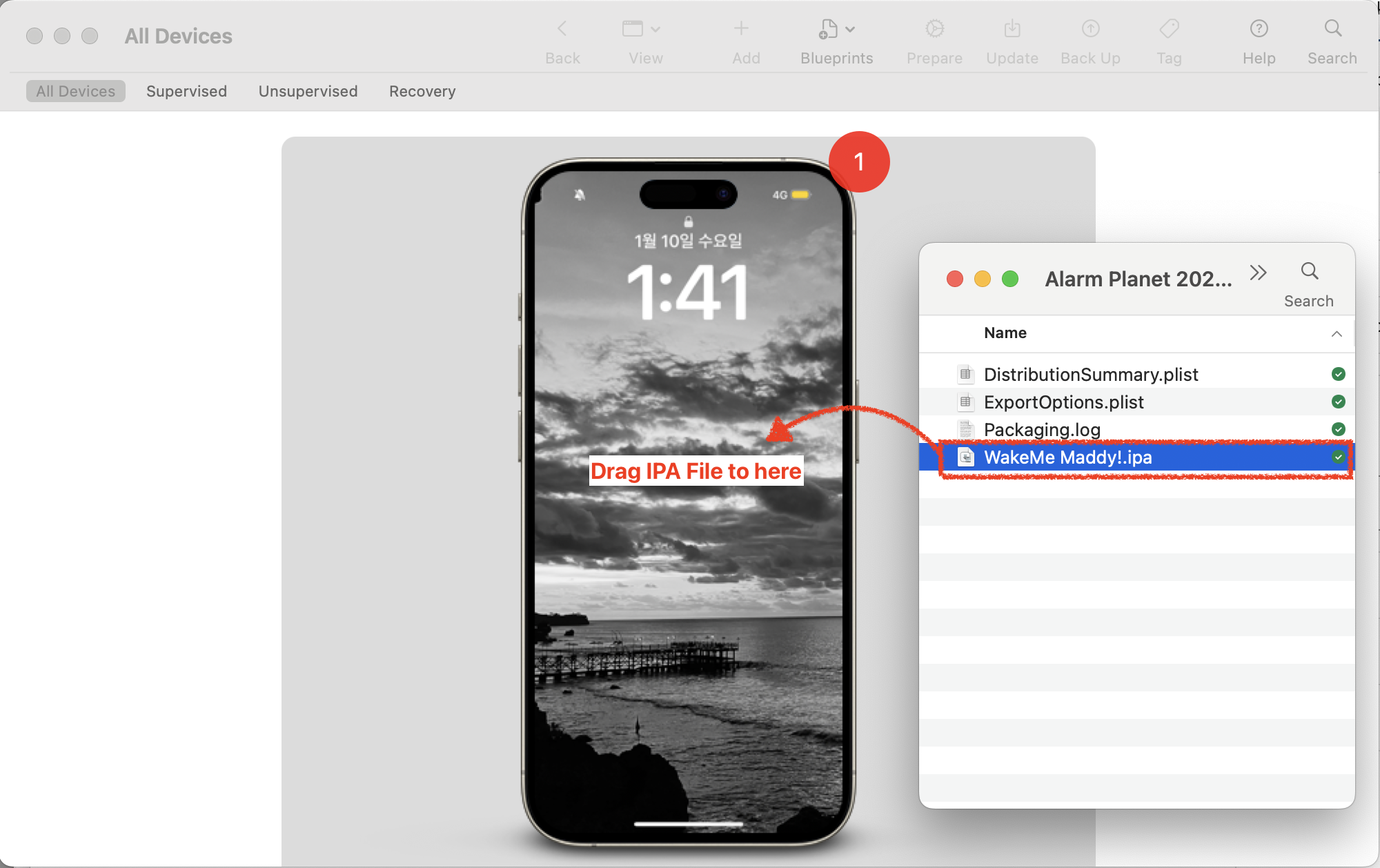
Apple Configurator app showing IPA file installation on iPhone

To install IPA file on iPhone device, use Apple Configurator app

screenshot 2024 11 01 at 5.42.00e280afpm

How to use it?

screenshot 2024 11 01 at 5.46.49e280afpm

Connect your iPhone into Macbook. In the Apple Configurator app, you may see your connected iPhone screen. Drag IPA file into the your iPhone. That’s it

screenshot 2024 11 01 at 5.46.08e280afpm

You will see iPA is adding on your iPhone. (Installing)

Comments

4 responses to “How to install IPA file on iPhone device”

  1. optimistic6d10e995c1 Avatar
    optimistic6d10e995c1

    This is a pretty clean workflow, and Configurator does make sideloading much simpler than most alternatives. I’ve noticed it works best when the IPA is properly signed, otherwise it can hang during installation. Is this method is safe to use?

    1. Traveller Avatar

      Yes I think it’s safe

  2. George Adam Avatar
    George Adam

    Thanks for sharing such a valuable post

  3. George Adam Avatar
    George Adam

    Apple Configurator is a solid method but the IPA needs to be properly signed or the install just hangs. For users without a Mac, Scarlet iOS handles sideloading directly on device. People often ask if these tools are safe to download — yes, as long as you stick to trusted IPA sources.

Leave a Reply

Discover more from Shawn

Subscribe now to keep reading and get access to the full archive.

Continue reading